


For healthcare organizations leveraging Microsoft Azure, compliance isn't a checkbox exercise—it's an ongoing operational imperative that requires precision, accountability, and shared responsibility between your organization and Microsoft. The 2024 OCR HIPAA audit findings revealed that 89% of audited entities had deficiencies in risk analysis and risk management processes, particularly in cloud environments where responsibility boundaries remain unclear.
This checklist addresses the critical gap between Azure's HIPAA eligibility and your organization's actual compliance posture. Whether you're a CISO evaluating Azure security controls, a Compliance Officer preparing for an OCR audit, or a Cloud Architect designing PHI workloads, this guide provides the implementation-level clarity that generic compliance content omits.

Why Azure HIPAA Compliance Matters More in 2026
For healthcare providers and tech teams, Azure HIPAA compliance for IT leaders has evolved from a best practice into a critical survival mechanism for these primary reasons:
Rising Enforcement, Cloud Breaches & Shared Responsibility Gaps
The enforcement landscape has intensified. HHS Office for Civil Rights (OCR) collected over $28.2 million in HIPAA violation settlements in 2023, with cloud misconfigurations accounting for 34% of enforcement actions. The 2025 HIPAA Enforcement Rule amendments introduced stricter penalties for "willful neglect" related to cloud security controls, with fines reaching up to $1.92 million per violation category annually.
Cloud adoption accelerates risk when shared responsibility isn't operationalized. Research from the Ponemon Institute shows that 76% of healthcare organizations using cloud services don't fully understand which security controls they own and which are led by their managed cloud services provider. This gap has direct consequences: breaches caused by cloud misconfigurations increased 175% between 2021 and 2024.
Azure's infrastructure meets HIPAA requirements, but your configuration determines compliance. Microsoft provides the foundation—physical security, network isolation, encryption capabilities—but you control identity management, access policies, logging configurations, and data governance. This distinction isn't semantic; it's the difference between HIPAA eligibility and HIPAA compliance.
HIPAA + HITECH + State-Level Privacy Laws (US & CA Context)
Compliance obligations now layer across multiple jurisdictions. U.S. healthcare organizations must navigate the HIPAA Privacy Rule, HIPAA Security Rule, HITECH Act breach notification requirements, and increasingly stringent state privacy laws. California's CMIA (Confidentiality of Medical Information Act) imposes additional patient consent requirements that exceed HIPAA baselines. Washington's My Health My Data Act (effective March 2024) extends protections to consumer health data beyond traditional PHI.
Canadian healthcare organizations face parallel complexity. While HIPAA doesn't directly apply in Canada, organizations serving U.S. patients or operating cross-border must comply with both HIPAA and Canadian frameworks: federal PIPEDA (Personal Information Protection and Electronic Documents Act), provincial health privacy legislation (PHIPA in Ontario, HIA in Alberta, FIPPA in British Columbia), and the emerging CPPA (Consumer Privacy Protection Act). Azure Canada regions (Toronto, Quebec City) support data residency requirements, but legal compliance requires explicit architectural decisions.
The compliance bar continues rising. Five U.S. states enacted comprehensive health data privacy laws in 2024, and the proposed American Data Privacy and Protection Act (ADPPA) would establish federal baseline requirements that exceed current HIPAA standards. Forward-looking Azure architectures must accommodate regulatory expansion, not just current minimums.
Understanding HIPAA in the Context of Microsoft Azure
Understanding HIPAA in Microsoft Azure is essentially a story of Shared Responsibility. While Microsoft provides a secure "foundation" for the cloud, you are responsible for how you build your "house" on top of it.
What HIPAA Requires vs What Azure Provides
HIPAA establishes three safeguard categories—Administrative, Physical, and Technical—across 18 implementation specifications. Azure provides infrastructure controls that satisfy many technical and physical requirements, but Administrative safeguards remain entirely your responsibility.
What Azure Provides:
- Physical Safeguards: SOC 2 Type II certified data centers with 24/7 security, biometric access controls, video surveillance, and secure decommissioning processes
- Technical Infrastructure: FIPS 140-2 validated encryption modules, network segmentation capabilities, DDoS protection, and vulnerability management programs
- Compliance Certifications: ISO 27001, ISO 27018, HITRUST CSF, FedRAMP High, and SOC 1/2/3 attestations demonstrating control effectiveness
What You Must Configure:
- Identity and Access Management: Entra ID (formerly Azure AD) conditional access policies, MFA enforcement, role-based access control (RBAC), privileged identity management
- Data Protection: Encryption key management via Azure Key Vault, TLS 1.2+ enforcement, at-rest encryption configuration for storage accounts, databases, and managed disks
- Network Security: Virtual network topology, network security groups (NSGs), Azure Firewall rules, Private Link endpoints, and application gateway configurations
- Logging and Monitoring: Log Analytics workspace configuration, Microsoft Sentinel threat detection rules, retention policies, and audit trail integrity
- Policies and Procedures: Risk analysis documentation, workforce training programs, incident response plans, business associate agreements (BAAs), and breach notification protocols
The gap between what Azure offers and what HIPAA requires is where most compliance failures occur. You cannot "inherit" compliance from Azure—you operationalize it through deliberate configuration and governance.
The Azure Shared Responsibility Model Explained for Healthcare
Microsoft operates under a shared responsibility model that explicitly delineates accountability:
| Responsibility Area | Microsoft's Role | Your Organization's Role |
| Physical Security | Data center physical access, environmental controls, and asset disposal | Endpoint device security, on-premises to cloud connectivity security |
| Network Security | DDoS protection, baseline network isolation, and global network infrastructure | Virtual network design, NSG rules, firewall policies, private connectivity configuration |
| Compute | Hypervisor security, hardware maintenance, patching (PaaS only) | VM patching and hardening (IaaS), container security, serverless configuration |
| Identity | Entra ID platform security, MFA infrastructure | User provisioning, RBAC assignments, conditional access policies, privileged access management |
| Data | Encryption capabilities, backup infrastructure | Encryption enablement and key management, data classification, retention policies, backup scheduling |
| Application | Platform service security features | Application code security, API authentication, secure development practices, dependency management |
| Compliance | Infrastructure compliance certifications, BAA availability | BAA execution, risk analysis, policy development, workforce training, audit evidence generation |
This model varies by service type. With IaaS (VMs, VNets), you own most of the security stack. With PaaS (App Service, SQL Database), Microsoft handles more infrastructure, but you still control data access and encryption. With SaaS (Microsoft 365), responsibilities shift further to Microsoft, though configuration and data governance remain yours.
Microsoft's HIPAA Eligibility & BAA Coverage
Microsoft offers a standardized Business Associate Agreement (BAA) covering HIPAA-eligible Azure services. The BAA establishes Microsoft as your business associate when you process, store, or transmit PHI using covered services.
Key BAA Terms:
- Covered Services: The BAA covers 100+ Azure services, including Compute, Storage, Databases, Networking, Security, Analytics, and AI services. The complete list is maintained at Microsoft Trust Center and updated quarterly.
- Service Exclusions: Preview/beta services, free-tier services, and certain third-party marketplace offerings are explicitly excluded from HIPAA BAA coverage.
- Geographic Scope: The BAA applies to Azure commercial cloud regions in the United States and Canada. Azure Government and Azure Government Secret clouds have separate compliance frameworks.
- Audit Rights: The BAA grants limited audit rights; Microsoft provides SOC 2 Type II reports and other third-party attestations instead of direct customer audits.
- Breach Notification: Microsoft commits to notifying you within 60 days of discovering a breach of unsecured PHI under its control.
Critical Implementation Points:
- BAA Execution: The Azure BAA must be formally executed through the Microsoft Trust Portal before processing PHI. Simply using Azure doesn't automatically establish BAA coverage.
- Service Validation: Before deploying new Azure services, verify the current BAA coverage status. Service eligibility changes as Azure evolves.
- Sub-Processor Management: Microsoft engages sub-processors (e.g., support vendors, cloud infrastructure services providers). Your BAA requires Microsoft to flow down HIPAA obligations, but you should document these relationships in your risk analysis.
- Data Processing Addendum (DPA): The Azure DPA complements the BAA to support GDPR and other privacy frameworks. Both should be in place for comprehensive coverage.
The BAA is necessary but insufficient for compliance. It establishes legal accountability but doesn't configure technical controls or implement policies—those remain your operational responsibility.
Azure HIPAA Compliance Checklist (2026 Edition)
This checklist organizes HIPAA requirements by safeguard category and maps them to specific Azure implementation actions. Each item includes role ownership to support cross-functional accountability.
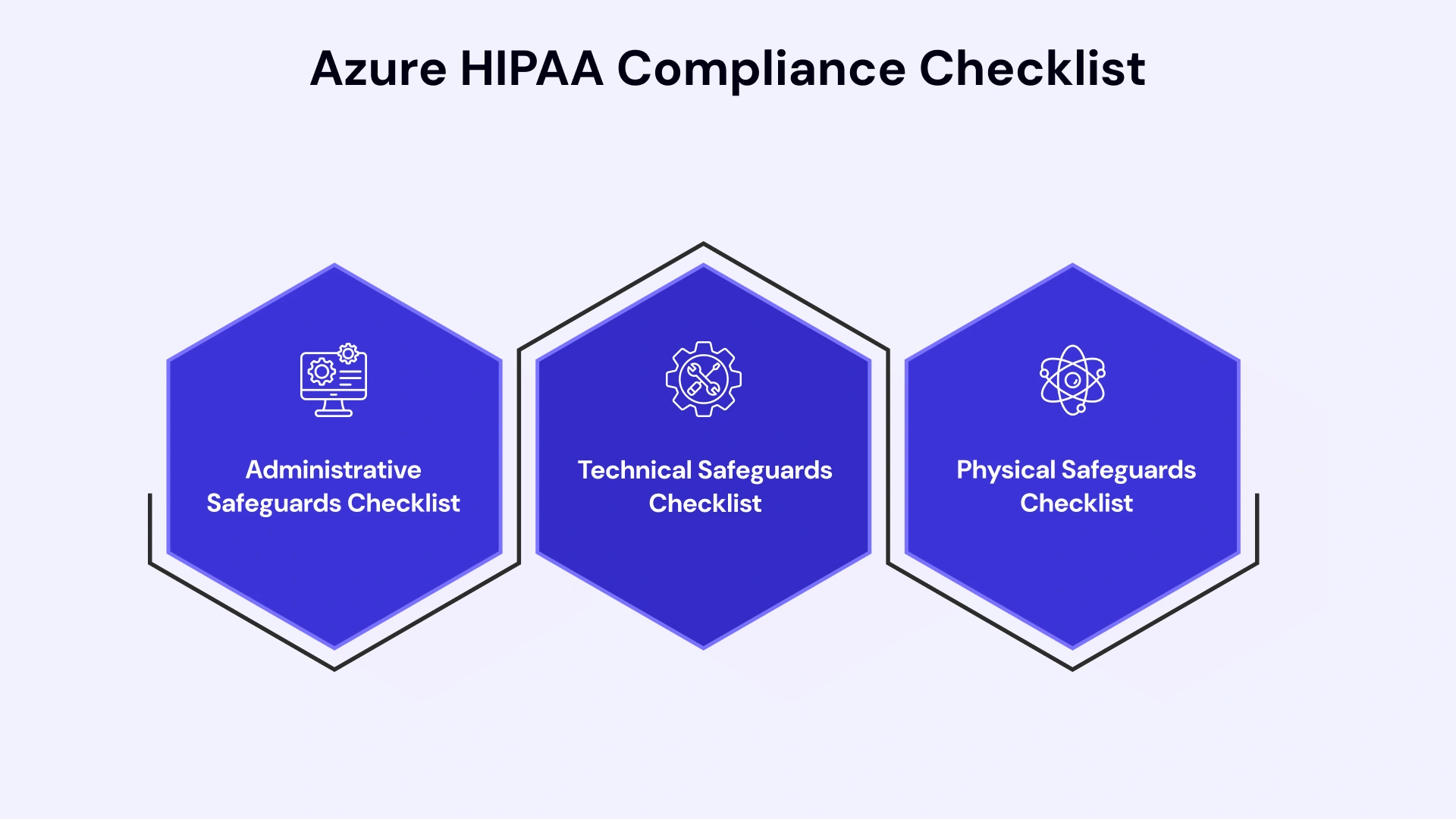
1. Administrative Safeguards Checklist
Administrative safeguards are policies, procedures, and organizational structures that govern the handling of PHI. These controls are entirely your responsibility—Azure provides no default administrative controls.
Risk Analysis and Management (Owner: Compliance Officer, CISO)
- Conduct comprehensive risk analysis covering all Azure services processing PHI, including third-party integrations and data flows
- Document identified vulnerabilities and threats specific to Azure architecture (e.g., public endpoints, overly permissive RBAC, unencrypted data paths)
- Implement risk management plan with remediation timelines, ownership, and risk acceptance thresholds
- Perform annual risk analysis updates and ad-hoc analyses when architecture changes or new services are introduced
- Maintain risk register in audit-ready format with dated entries, risk scores, and mitigation status
Security Management Process (Owner: CISO, Cloud Architect)
- Establish written security policies covering Azure usage, PHI handling, access control standards, and incident response
- Define sanctions policy for workforce violations of security policies, including Azure misconfigurations
- Create information system activity review procedures for periodic log review from Azure Monitor, Sentinel, and activity logs
- Document configuration standards for each Azure service type handling PHI (baseline configurations as code)
Workforce Security (Owner: Compliance Officer, HR)
- Implement authorization procedures for granting Azure access, including approval workflows and least-privilege principles
- Establish workforce clearance procedures for personnel with PHI access, including background checks where applicable
- Define termination procedures ensuring immediate Azure access revocation when employment ends
- Document role-based access matrix mapping job functions to Azure RBAC roles and data access permissions
Information Access Management (Owner: Cloud Architect, DevOps Lead)
- Implement access authorization policies using Azure RBAC with custom roles aligned to job functions
- Establish access review procedures for quarterly recertification of Azure permissions
- Configure access control mechanisms using Entra ID conditional access, PIM (Privileged Identity Management), and just-in-time access
Security Awareness and Training (Owner: Compliance Officer)
- Conduct HIPAA security awareness training for all workforce members, including Azure-specific security best practices
- Provide role-specific training for Cloud Architects, DevOps, and administrators on Azure security controls and PHI handling
- Document training completion with records, including date, attendees, and content covered
- Perform annual refresher training and ad-hoc training for new Azure service adoption
Security Incident Procedures (Owner: CISO, DevOps Lead)
- Establish incident response and reporting procedures specific to Azure security events (e.g., unauthorized access, data exfiltration, misconfigurations)
- Configure automated alerting using Azure Sentinel, Defender for Cloud, and Monitor for security incidents
- Define incident classification criteria and escalation paths for Azure-based incidents
- Create incident response playbooks for common Azure security scenarios (compromised credentials, malware detection, DDoS attacks)
- Document post-incident reviews and lessons learned for continuous improvement
Contingency Planning (Owner: Cloud Architect, DevOps Lead)
- Develop a data backup plan using Azure Backup, geo-redundant storage, or third-party backup solutions
- Create a disaster recovery plan with RPO/RTO targets, failover procedures, and Azure Site Recovery configurations
- Establish an emergency mode operation plan for maintaining critical PHI access during Azure service disruptions
- Conduct annual disaster recovery testing and document test results, failures, and remediation actions
- Implement applications and data criticality analysis to prioritize recovery sequencing
Business Associate Agreements (Owner: Compliance Officer, Legal)
- Execute Microsoft Azure BAA through the Microsoft Trust Portal
- Document BAA execution date and renewal requirements
- Maintain inventory of all business associates accessing PHI through or alongside Azure (third-party applications, support vendors, sub-processors)
- Obtain BAAs from all applicable vendors and review annually for compliance with current HIPAA requirements
- Establish a vendor risk assessment process for evaluating third-party security controls
2. Technical Safeguards Checklist
Technical safeguards are the technology controls protecting PHI confidentiality, integrity, and availability. Azure provides the capabilities, but you must enable and configure them correctly.
Access Control (Owner: Cloud Architect, DevOps Lead)
- Implement unique user identification via Entra ID with individual accounts (no shared credentials)
- Configure emergency access procedures using Azure AD break-glass accounts with monitoring and attestation requirements
- Enable automatic logoff using Entra ID session management and conditional access timeout policies
- Deploy encryption and decryption controls via Azure Key Vault with RBAC and access policies
Audit Controls (Owner: DevOps Lead, Compliance Officer)
- Enable Azure Monitor activity logging for all subscriptions and management groups with a minimum 90-day retention (365 days recommended)
- Configure diagnostic logging for all Azure services processing PHI (Storage, SQL, App Service, Key Vault, Network Watchers)
- Implement log immutability using Azure Storage immutable blob policies or WORM (Write Once, Read Many) storage
- Deploy SIEM solution (Azure Sentinel or third-party) for centralized log aggregation, correlation, and alerting
- Establish log review procedures with documented evidence of periodic review and anomaly investigation
- Configure audit log alerts for high-risk activities (privileged role assignment, encryption key access, policy modifications, data deletion)
Integrity Controls (Owner: Cloud Architect, DevOps Lead)
- Implement mechanisms to authenticate PHI using checksums, digital signatures, or Azure-native integrity validation
- Deploy mechanisms to detect PHI alteration or destruction using Azure Monitor change tracking, file integrity monitoring, and versioning
- Enable soft delete on Azure Storage, Key Vault, and databases to protect against accidental or malicious deletion
- Configure versioning for critical data stores to maintain audit trails and support recovery
Person or Entity Authentication (Owner: Cloud Architect, CISO)
- Enforce multi-factor authentication (MFA) for all users via Entra ID, including emergency access accounts
- Implement conditional access policies requiring MFA, compliant devices, and approved locations for PHI access
- Deploy certificate-based authentication for service-to-service communication and API access
- Configure privileged identity management (PIM) requiring just-in-time elevation and approval workflows for sensitive roles
- Implement passwordless authentication using FIDO2 keys, Windows Hello, or certificate-based auth where feasible
Transmission Security (Owner: Cloud Architect, DevOps Lead)
- Enforce TLS 1.2 or higher for all data in transit, disabling legacy protocols (TLS 1.0/1.1, SSL)
- Configure Azure Front Door or Application Gateway with TLS termination and re-encryption for end-to-end encryption
- Implement VPN or ExpressRoute for on-premises to Azure connectivity, avoiding public internet transmission of PHI
- Enable Azure Private Link for PaaS services to eliminate public endpoint exposure
- Deploy integrity controls using HTTPS, FTPS, or SFTP with certificate validation for data transfers
- Configure network security groups (NSGs) to restrict traffic to necessary ports and protocols only
- Implement Azure Firewall or third-party network virtual appliances (NVAs) for advanced threat protection and traffic inspection
3. Physical Safeguards Checklist
Physical safeguards protect the systems and facilities that house PHI. Microsoft handles physical security in Azure data centers, but you manage endpoint devices and on-premises infrastructure.
Facility Access Controls (Owner: Microsoft for Azure, IT/Security for On-Premises)
- Verify Microsoft data center certifications, including SOC 2 Type II physical security controls (reviewed annually via Microsoft attestations)
- Implement physical access controls for on-premises infrastructure connecting to Azure (badge systems, biometrics, visitor logs)
- Document facility security plan covering equipment placement, environmental controls, and access procedures for on-premises components
- Establish validation procedures for personnel accessing facilities with Azure infrastructure components
Workstation Security (Owner: IT, CISO)
- Deploy endpoint protection (Microsoft Defender for Endpoint or approved third-party EDR) on all workstations accessing Azure and PHI
- Implement workstation configuration standards, including disk encryption (BitLocker), screen timeout, and automatic updates
- Restrict workstation PHI access to authorized users and secure locations
- Deploy mobile device management (MDM) via Intune to enforce security policies on devices accessing Azure resources
Device and Media Controls (Owner: IT, DevOps Lead)
- Establish disposal procedures for devices with PHI access, including secure erase verification and certificate of destruction
- Implement media re-use procedures requiring data sanitization before device reassignment
- Maintain inventory of devices authorized to access Azure environments processing PHI
- Configure data accountability tracking data movement to/from Azure using Data Loss Prevention (DLP) policies and Cloud App Security
HIPAA-Compliant Azure Healthcare Architecture Blueprint
The following blueprint outlines a production-ready, multi-tier architecture designed for 2026 standards, prioritizing network isolation, identity governance, and automated compliance.
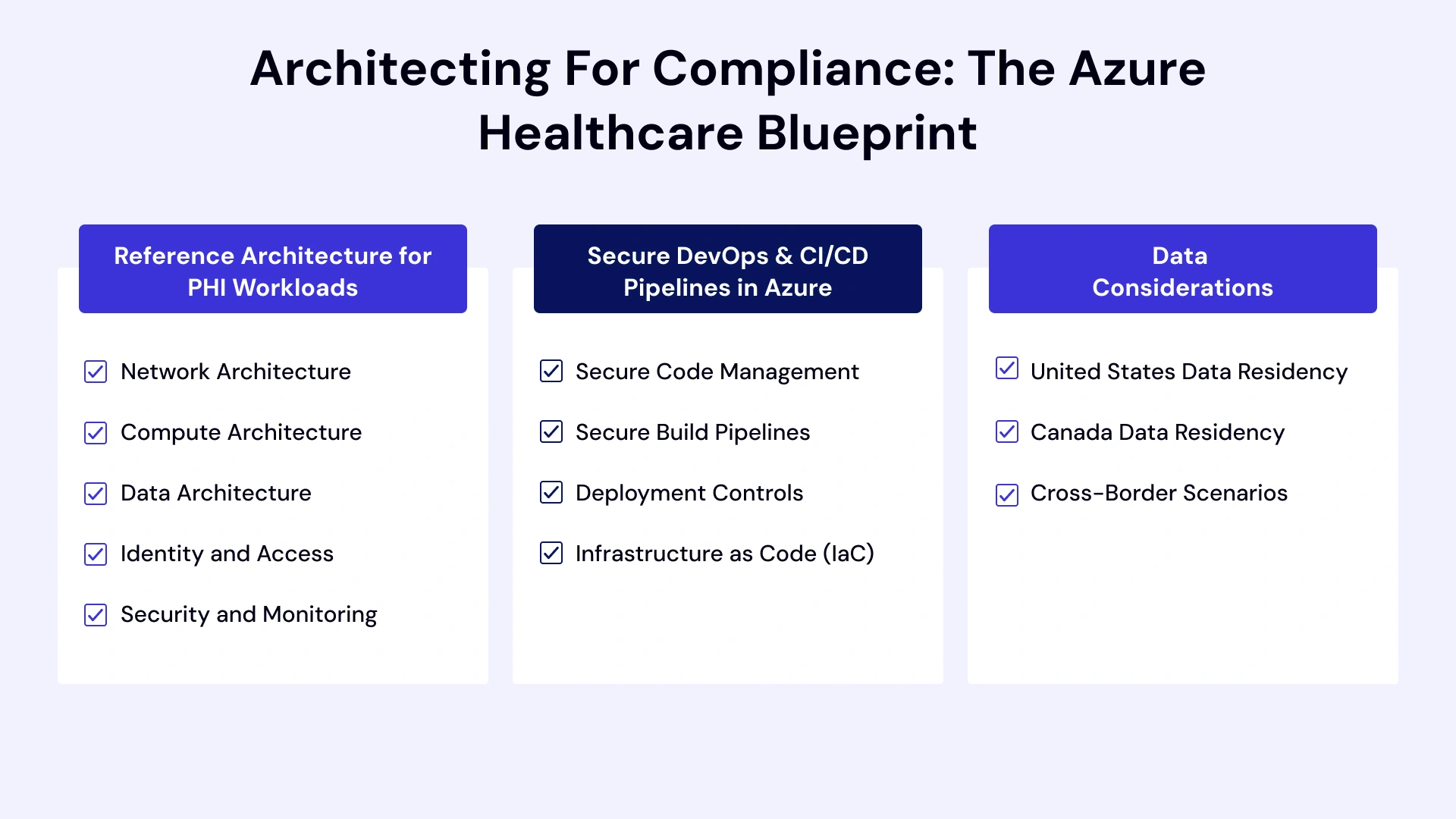
Reference Architecture for PHI Workloads
A HIPAA-compliant Azure architecture requires deliberate design across network, compute, data, and security layers. The following reference architecture addresses common healthcare scenarios, including EHR/EMR systems, patient portals, health analytics platforms, and telehealth applications.
Network Architecture:
- Hub-and-Spoke Topology: Central hub VNet containing shared services (Azure Firewall, VPN Gateway, ExpressRoute Gateway, Azure Bastion). Spoke VNets for application environments (production, staging, development) with VNet peering.
- Network Segmentation: Separate subnets for the web, application, data, and management tiers, with NSGs enforcing least-privilege traffic flows.
- Private Connectivity: Azure Private Link endpoints for PaaS services (Storage, SQL Database, Cosmos DB, Key Vault), eliminating public internet exposure.
- Hybrid Connectivity: ExpressRoute private peering for on-premises to Azure connectivity, bypassing the public internet. VPN Gateway as a redundant connectivity path.
- Traffic Inspection: Azure Firewall with threat intelligence, application rules, and network rules enforcing allowed communication paths. Optional third-party NVAs for advanced inspection.
Compute Architecture:
- App Service: Web applications deployed to App Service with VNet integration, private endpoints, and managed identities for authentication. Always-on encryption, TLS 1.2 enforcement, and remote debugging are disabled.
- Azure Kubernetes Service (AKS): Container orchestration with Azure CNI networking, private cluster endpoints, pod-managed identities, and Azure Key Vault CSI driver for secrets. Network policies enforcing pod-to-pod communication rules.
- Virtual Machines: IaaS workloads on Azure VMs with managed disks using server-side encryption, Azure Disk Encryption (ADE) for OS/data disks, and no public IP addresses. Update management via Azure Update Manager.
Data Architecture:
- Azure SQL Database: PaaS database with TDE (Transparent Data Encryption), Always Encrypted for column-level encryption of sensitive fields, private endpoints, and Microsoft Entra ID authentication. Advanced Threat Protection and vulnerability assessments enabled.
- Azure Storage: Blob storage with encryption at rest using Microsoft-managed or customer-managed keys (BYOK via Key Vault). Immutable storage policies for audit logs. Private endpoints and firewall rules restricting access.
- Azure Cosmos DB: NoSQL database with encryption at rest, private endpoints, and RBAC for data plane operations. Continuous backup for point-in-time restore.
Identity and Access:
- Microsoft Entra ID: Centralized identity provider with conditional access policies requiring MFA, compliant devices, and approved locations. PIM for just-in-time privileged access.
- Managed Identities: System-assigned or user-assigned managed identities for Azure resource authentication, eliminating hard-coded credentials.
- Azure Key Vault: Centralized secrets, keys, and certificate management with RBAC, access policies, and audit logging. HSM-backed keys for high-security scenarios.
Security and Monitoring:
- Microsoft Defender for Cloud: Continuous security posture assessment with HIPAA compliance dashboard. Regulatory compliance reporting and automated remediation recommendations.
- Azure Sentinel: Cloud-native SIEM for threat detection, investigation, and response. Pre-built HIPAA-relevant analytics rules and workbooks.
- Azure Monitor: Centralized logging with Log Analytics workspace collecting activity logs, diagnostic logs, and metrics. 365-day retention for compliance. Alerts for security events and anomalies.
- Azure Policy: Policy-as-code enforcing HIPAA configuration requirements. Built-in HIPAA/HITRUST initiative with 50+ policy definitions. Deny policies preventing non-compliant resource deployment.
Secure DevOps & CI/CD Pipelines in Azure
DevOps practices must embed security controls throughout the software development lifecycle to maintain HIPAA compliance.
Secure Code Management:
- Azure Repos: Git repositories with branch protection policies, required code reviews, and signed commits. Secrets scanning using GitHub Advanced Security or third-party tools.
- Dependency Management: Automated vulnerability scanning of open-source dependencies. Microsoft Defender for DevOps integration identifies security issues in pull requests.
Secure Build Pipelines:
- Azure Pipelines: CI/CD automation with service connections using managed identities or service principals with least-privilege permissions. No long-lived credentials in pipeline definitions.
- Secrets Management: Azure Key Vault integration for retrieving secrets during build/deployment. Secrets are never stored in code, variables, or logs.
- Security Scanning: Static application security testing (SAST), dependency scanning, container image scanning, and infrastructure-as-code (IaC) scanning integrated into the pipeline.
- Artifact Management: Signed container images and build artifacts stored in Azure Container Registry or Azure Artifacts with vulnerability scanning enabled.
Deployment Controls:
- Environment Segregation: Separate subscriptions or resource groups for development, staging, and production with isolated Entra ID service principals.
- Approval Gates: Manual approval requirements for production deployments with an audit trail of approver identity and timestamp.
- Policy Validation: Pre-deployment validation of Azure Policy compliance. Deployments fail if non-compliant configurations are detected.
- Rollback Procedures: Automated rollback capabilities and blue-green or canary deployment patterns to minimize the impact of failed deployments.
Infrastructure as Code (IaC):
- Terraform / Bicep / ARM Templates: Declarative infrastructure definitions in source control with code review processes.
- Security Scanning: IaC scanning tools (Checkov, tfsec, Bridgecrew) identifying misconfigurations before deployment (e.g., public endpoints, missing encryption, weak network rules).
- Immutable Infrastructure: Infrastructure versioning and immutable deployment patterns preventing configuration drift.
Data Residency & Cross-Border Considerations (US vs CA)
Data residency requirements vary by jurisdiction and organization policy. Azure's global region infrastructure supports compliance with geographic data storage mandates.
United States Data Residency:
- Azure Regions: 10+ U.S. regions, including East US, West US, Central US, and specialized regions (Azure Government). Data stored in selected region(s) with replication options.
- Replication Options: Locally redundant storage (LRS), zone-redundant storage (ZRS), or geo-redundant storage (GRS) with read access (RA-GRS) for high availability while maintaining U.S. boundaries.
- State Law Compliance: Certain states (e.g., California, New York) impose data residency or access restrictions for health information. Architecture must account for intra-U.S. geographic constraints.
Canada Data Residency:
- Azure Canada Regions: Canada Central (Toronto) and Canada East (Quebec City) regions for in-country data storage.
- PIPEDA Compliance: Canadian federal privacy law permits cross-border data transfers when adequate protection is in place. Azure BAA and Microsoft's privacy commitments satisfy adequacy requirements.
- Provincial Requirements: Provincial health privacy laws (PHIPA in Ontario, HIA in Alberta) may impose stricter data residency requirements than federal PIPEDA. Validate provincial obligations before architecture.
- Sovereignty Considerations: Some Canadian healthcare organizations adopt data sovereignty policies that prohibit storing data outside Canada, regardless of legal requirements. Canada-only region selection addresses this.
Cross-Border Scenarios:
- Multi-Region Deployments: Organizations serving both U.S. and Canadian patients can deploy separate Azure environments for each jurisdiction, with independent data stores.
- Data Classification: Implement a data classification schema distinguishing U.S. PHI from Canadian personal health information. Route data to the appropriate geographic region based on classification.
- Latency and Availability: Cross-border data access introduces latency and reduces availability. Geo-distributed architectures with regional data stores improve performance while maintaining compliance.
- Legal Review: Cross-border data flows require legal analysis of applicable privacy frameworks, data transfer mechanisms, and organizational risk tolerance.

Decision Framework – Is Your Azure Environment HIPAA-Ready?
To determine if your Azure environment is "HIPAA-Ready" in 2026, you must look beyond default settings. Compliance is a system-level achievement, not a product feature. Use the decision framework to audit your current posture against the latest technical and administrative standards.
Compliance Maturity Model (Level 1–5)
Assess your current Azure HIPAA compliance maturity using this five-level framework:
Level 1 – Initial / Ad-Hoc
- Azure BAA not executed or unknown
- No documented policies or risk analysis for Azure usage
- Default Azure configurations with public endpoints and no encryption
- Shared accounts, no MFA, no RBAC implementation
- No logging or monitoring configured
- Risk: Critical compliance gaps; immediate remediation required
Level 2 – Developing
- Azure BAA executed
- Basic risk analysis completed but not maintained
- Some encryption enabled, but inconsistent across resources
- MFA enabled for administrators, but not all users
- Basic logging enabled, but no centralized analysis or retention policy
- Minimal security policies documented
- Risk: Partial compliance; significant gaps remain
Level 3 – Defined
- Comprehensive risk analysis with documented remediation plan
- Written security policies covering Azure usage and PHI handling
- Encryption at rest and in transit enforced across most resources
- MFA enforced organization-wide with conditional access
- Centralized logging with 90-day retention
- Network segmentation implemented with NSGs and private endpoints
- Regular security awareness training
- Risk: Moderate compliance; operational consistency needed
Level 4 – Managed
- Annual risk analysis updates with continuous risk monitoring
- Security policies embedded in Azure Policy with automated enforcement
- End-to-end encryption with customer-managed keys (BYOK)
- Privileged Identity Management (PIM) with just-in-time access
- SIEM deployment (Sentinel) with automated threat detection
- Immutable audit logs with 365-day retention
- Incident response playbooks are tested annually
- DevOps security integration with IaC scanning
- Risk: Strong compliance; minor optimization opportunities
Level 5 – Optimizing
- Continuous risk assessment with automated remediation
- Comprehensive policy-as-code enforcing HIPAA controls
- Zero-trust architecture with conditional access and least-privilege everywhere
- Advanced threat protection across all workloads (Defender for Cloud, Sentinel)
- Automated compliance reporting and audit evidence generation
- Chaos engineering and disaster recovery testing quarterly
- Security integrated throughout the DevOps lifecycle (DevSecOps)
- Proactive threat hunting and vulnerability management
- Risk: Minimal; industry-leading compliance posture
Pro Tips:- Advancement Path: Organizations typically progress one level every 6-12 months with dedicated investment in people, process, and technology. Jumping levels requires a significant resource commitment.
Build vs Harden vs Partner Decision Tree
Choosing your Azure HIPAA compliance approach depends on internal capabilities, timeline, and risk tolerance.
Build In-House
Best for: Large enterprises with dedicated cloud security teams, long timelines, and a desire for complete control.
Requirements:
- Azure-certified architects and security engineers on staff
- 6-12 month implementation timeline
- Budget for Microsoft Premier or Unified Support
- Executive sponsorship and cross-functional collaboration
- Existing compliance program infrastructure
Advantages:
- Complete architectural control and customization
- Deep internal knowledge and capability building
- Lower long-term operational costs (after initial investment)
- IP development and competitive differentiation
Disadvantages:
- High upfront time and cost investment
- Skills gap risk; specialized Azure security expertise scarce
- Potential for missteps during the learning curve
- Ongoing maintenance burden as Azure evolves
Harden Existing Environment
Best for: Mid-market organizations with existing Azure presence requiring compliance retrofitting
Requirements:
- Current Azure deployment (3-12 months operational)
- Basic security controls in place
- 3-6 month remediation timeline
- Budget for gap assessment and remediation tools
Advantages:
- Leverages existing investment and knowledge
- Faster than greenfield build
- Addresses specific gaps rather than a full redesign
- Opportunity to upskill the existing team
Disadvantages:
- Technical debt from non-compliant architecture decisions
- Potentially higher long-term costs if the fundamental architecture flawed
- Disruption to running workloads during remediation
- Risk of incomplete remediation if gaps are not fully identified
Partner with Experts
Best for: Organizations requiring rapid compliance, lacking internal expertise, or preferring risk transfer
Requirements:
- 2-4 month implementation timeline
- Budget for consulting engagement and managed services
- Willingness to follow best practice recommendations
- Internal stakeholder buy-in for external partnership
Advantages:
- Fastest time to compliance
- Access to specialized expertise and proven methodologies
- Reduced risk through experience-based implementation
- Potential for managed services ongoing support
- Audit-readiness from day one
Disadvantages:
- Higher short-term costs
- Potential dependency on an external partner
- Less internal capability development (unless knowledge transfer prioritized)
- Requires vendor selection diligence
Decision Matrix:
| Factor | Build In-House | Harden Existing | Partner with Experts |
| Timeline | 6-12 months | 3-6 months | 2-4 months |
| Upfront Cost | High | Medium | Medium-High |
| Ongoing Cost | Low-Medium | Medium | Medium (managed) / Low (advisory) |
| Internal Skills Required | High | Medium | Low |
| Risk of Gaps | Medium-High (if inexperienced) | Medium | Low |
| Customization | Maximum | High | Medium |
| Audit Readiness | Variable | Variable | High |
Pro Tip: Hybrid Approach: Many organizations partner initially for architectural design and critical implementation, then transition to internal management with periodic assessments.
Cost of Non-Compliance vs Cost of Compliance
Understanding the financial implications of compliance decisions informs appropriate investment levels.
Cost of Non-Compliance:
- HIPAA Penalties: $100 to $1.92 million per violation category annually. Multi-year violations multiply penalties.
- Breach Costs: Healthcare data breaches average $10.93 million per incident (IBM 2023). Includes investigation, notification, credit monitoring, legal fees, and regulatory fines.
- Operational Disruption: Post-breach remediation consumes 30-50% of security team capacity for 6-18 months.
- Reputational Damage: Patient loss averaging 22% following publicized breaches. Brand recovery timeline: 3-5 years.
- Legal Liability: Class action lawsuits, state attorney general actions, and private litigation. Legal costs average $2-5 million regardless of the settlement amount.
- Business Impact: Lost partnerships, failed audits blocking expansion, payer contract termination, and inability to participate in value-based care programs.
Cost of Compliance (Azure-Specific Estimates):
Small Healthcare Organization (< 500 patients, single application):
- Initial Implementation: $50,000 - $150,000 (assessment, architecture, configuration, policies, training)
- Azure Infrastructure: $2,000 - $5,000/month (compute, storage, networking, security services)
- Ongoing Compliance: $20,000 - $50,000/year (audits, risk analysis, training, policy updates, security monitoring)
Mid-Market Healthcare Organization (5,000 - 50,000 patients, multiple applications):
- Initial Implementation: $150,000 - $400,000
- Azure Infrastructure: $10,000 - $30,000/month
- Ongoing Compliance: $75,000 - $200,000/year
Enterprise Healthcare Organization (> 100,000 patients, complex ecosystem):
- Initial Implementation: $400,000 - $1,500,000
- Azure Infrastructure: $50,000 - $150,000/month
- Ongoing Compliance: $250,000 - $750,000/year
ROI Perspective: Compliance investment represents 2-5% of the typical breach cost. Organizations that invest adequately in compliance reduce breach likelihood by approximately 60% and breach costs by 40% (Ponemon Institute).
The business case for compliance is not preventing penalties—it's avoiding the catastrophic operational and reputational impact of breaches that inevitably result from inadequate security.
Common Azure HIPAA Compliance Pitfalls
Here are the most common Azure HIPAA compliance pitfalls and how to avoid them.
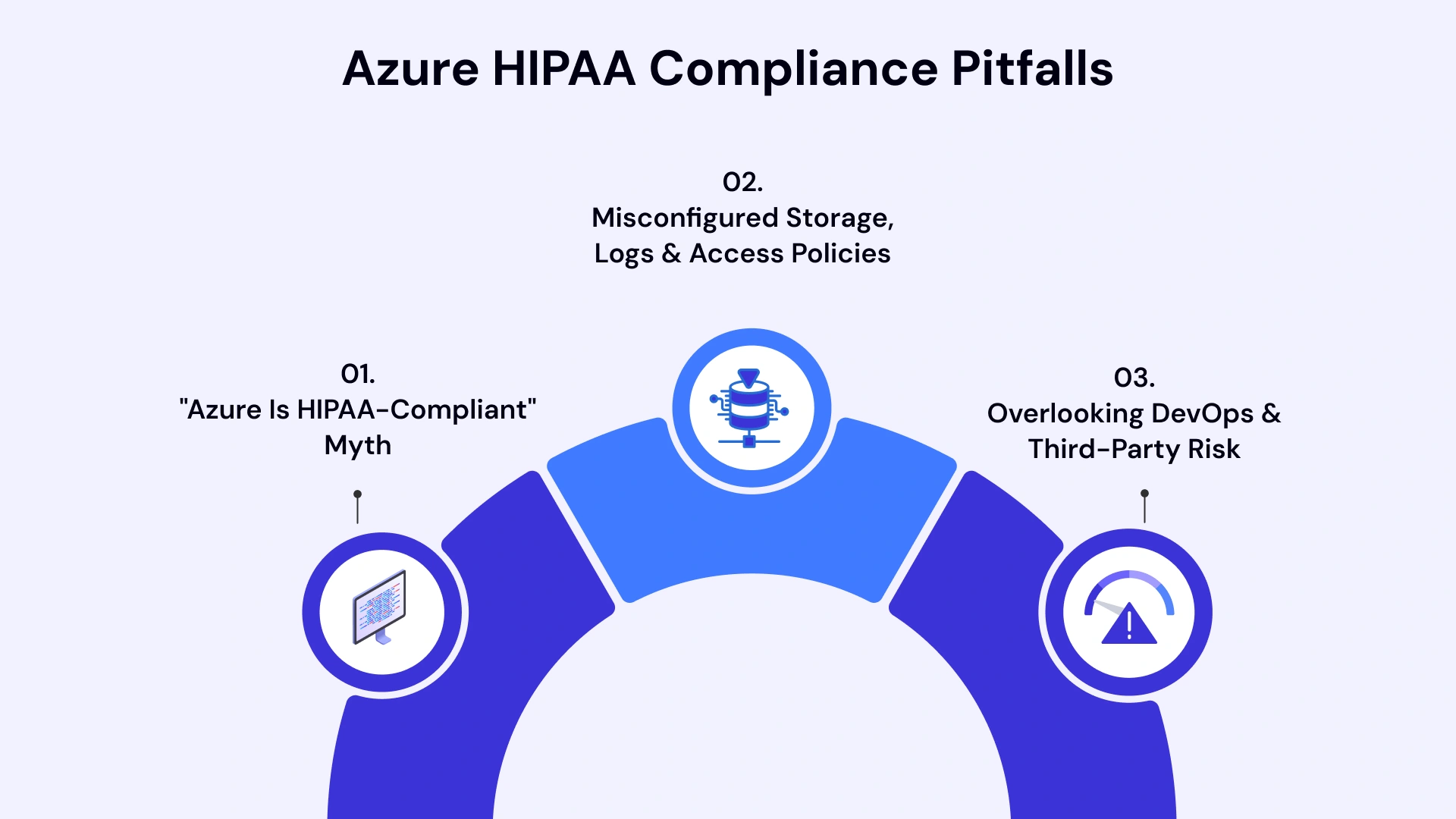
"Azure Is HIPAA-Compliant" Myth
The Pitfall: Assuming that because Azure has HIPAA certifications, your Azure environment is automatically compliant.
Reality: Azure provides a HIPAA-eligible platform. Compliance requires that your organization have the correct configuration, policies, and operational practices.
How to Avoid:
- Understand shared responsibility: Microsoft secures the cloud; you secure what's in the cloud
- Execute the Azure BAA to establish a business associate relationship
- Treat Azure certifications as evidence of infrastructure controls, not application-level compliance
- Conduct an independent risk analysis of your Azure architecture and usage patterns
- Validate that each Azure service in use is covered by Microsoft's HIPAA BAA
Misconfigured Storage, Logs & Access Policies
The Pitfall: Using default Azure configurations that don't meet HIPAA requirements.
Common Misconfigurations:
- Storage accounts with public blob access enabled, exposing PHI to the internet
- Databases without encryption at rest or in transit
- Network security groups (NSGs) with overly permissive rules (e.g., allow any-to-any)
- Diagnostic logs disabled or retention set below compliance requirements (minimum 90 days)
- RBAC roles are assigned at the subscription level instead of granular resource groups
- Shared access signatures (SAS) with excessive permissions or unlimited duration
- Key Vault with no access policies, allowing broad key access
How to Avoid:
- Deploy Azure Policy initiative for HIPAA/HITRUST compliance (built-in initiative)
- Use Azure Blueprints or Terraform modules with secure defaults
- Enable Microsoft Defender for Cloud and remediate identified misconfigurations
- Conduct quarterly configuration reviews using the Azure Security Center compliance dashboard
- Implement policy-as-code to prevent deployment of non-compliant configurations
- Use Azure Resource Graph to query and audit existing configurations across subscriptions
- Create Azure Monitor alerts for high-risk configuration changes (e.g., public endpoint exposure)
Overlooking DevOps & Third-Party Risk
The Pitfall: Securing production environments while leaving development/staging environments and CI/CD pipelines unprotected.
Common Gaps:
- Production PHI copied to development/staging environments without de-identification
- CI/CD pipelines with overly privileged service principals (Contributor or Owner roles)
- Secrets hard-coded in infrastructure-as-code templates or pipeline definitions
- Third-party DevOps tools (GitHub, Jenkins, GitLab) with insufficient access controls
- Container images from untrusted sources or with unpatched vulnerabilities
- Development workstations without endpoint protection or MFA requirements
How to Avoid:
- Implement strict data classification: PHI only in production, synthetic data in lower environments
- Use managed identities for Azure Pipelines service connections, avoiding long-lived credentials
- Store all secrets in Azure Key Vault with time-bound access via Azure Pipelines secure files or variable groups
- Enable Microsoft Defender for DevOps for security scanning across CI/CD platforms
- Require code reviews and approval gates for production deployments
- Scan container images using Defender for Containers or Trivy before deployment
- Apply the same security controls to development workstations as production systems (MFA, EDR, encryption)
- Conduct regular third-party vendor assessments for SaaS tools in the DevOps pipeline
- Implement pipeline-as-code with security scanning as automated gates
Third-Party Risk Management:
- Maintain a comprehensive vendor inventory of all tools accessing or processing PHI
- Obtain BAAs from applicable vendors (SaaS applications, support providers, consultants)
- Conduct annual vendor risk assessments, evaluating security controls
- Define vendor offboarding procedure,s ensuring data deletion and access revocation
- Monitor third-party access using Azure Lighthouse (for MSPs) or Azure AD B2B with conditional access
Real-World Azure HIPAA Compliance Scenarios
In the Azure ecosystem, HIPAA compliance isn't a "switch" you flip; it’s a shared responsibility. Microsoft secures the physical infrastructure and signs a BAA, but you are responsible for the "Security in the Cloud"—how you configure services to protect PHI.
Here are a few real-world scenarios that illustrate how these controls are applied in practice.
1. Mid-Market Healthcare SaaS Scaling on Azure
Organization: Regional telehealth platform serving 15,000 patients across four states
Challenge: Rapid growth from startup to regulated healthcare provider requiring HIPAA compliance while maintaining development velocity
Azure Architecture Implemented:
- Compute: Azure App Service for a web application with VNet integration and private endpoints. Azure Functions for asynchronous processing (appointment reminders, claims submission)
- Data: Azure SQL Database with TDE, Always Encrypted for SSNs and payment data, private endpoint, and Entra ID authentication. Azure Storage for patient document storage with immutable policies
- Identity: Entra ID with conditional access requiring MFA and compliant devices. Privileged Identity Management (PIM) for administrator access
- Security: Microsoft Defender for Cloud continuous compliance monitoring. Azure Sentinel is an SIEM with prebuilt healthcare analytics rules. Azure Policy enforcing HIPAA initiative
- DevOps: Azure DevOps Pipelines with managed identities, Key Vault integration, and automated security scanning. Environment segregation with separate subscriptions for dev/staging/prod
Compliance Controls:
- Risk analysis completed with outside consulting firm; documented remediation roadmap
- Azure BAA executed and sub-processor inventory maintained
- Quarterly access reviews via the Entra ID access reviews feature
- Annual disaster recovery test with documented RTO/RPO validation
- Security awareness training via a third-party platform with completion tracking
- Incident response playbooks specific to telehealth scenarios (unauthorized PHI access, video session compromise, prescription tampering)
Outcomes:
- Achieved HIPAA compliance in 4 months with partner assistance
- Passed first OCR-style audit with zero critical findings
- Maintained 99.95% uptime during 200% patient growth over 18 months
- Reduced security incident MTTR (mean time to resolution) from 4 hours to 45 minutes via Sentinel automation
Key Lessons:
- Early BAA execution with Microsoft avoided late-stage architecture rework
- IaC (Bicep templates) enabled consistent security controls across environments
- PIM significantly reduced standing privileged access risk
- Automated policy enforcement prevented configuration drift as the team grew
2. Hospital Network Migrating Legacy Systems to Azure
Organization: 250-bed community hospital with 15-year-old on-premises EHR and imaging systems
Challenge: Aging infrastructure requiring significant capital investment. Cloud migration consulting services offered cost reduction and scalability while maintaining HIPAA compliance and HITECH meaningful use requirements
Azure Architecture Implemented:
- Hybrid Connectivity: ExpressRoute private peering (1 Gbps) with VPN Gateway as backup. Azure Bastion for secure RDP/SSH access, eliminating public IPs
- Compute: Azure Virtual Machines (Windows Server 2022) for EHR application tier with Azure Disk Encryption. Azure NetApp Files for high-performance file storage required by PACS (Picture Archiving and Communication System)
- Data: Azure SQL Managed Instance for EHR database enabling lift-and-shift migration. Azure Blob Storage with Cool tier for long-term imaging archive (7-year retention). Private endpoints for all PaaS services
- Identity: Hybrid Entra ID with on-premises Active Directory federation. Conditional access policies enforcing managed devices and hospital network access for clinical systems
- Backup: Azure Backup for VMs with 35-day retention. Cross-region replication to the secondary region (500 miles geographic separation)
- Monitoring: Log Analytics workspace aggregating logs from on-premises and Azure. Integration with existing SIEM (Splunk) via Azure Monitor data export
Migration Approach:
- Phase 1 (3 months): Non-PHI systems (HR, finance, email) to establish Azure connectivity and operational processes
- Phase 2 (4 months): Imaging archive migration (10 TB cold data) using Azure Data Box
- Phase 3 (6 months): EHR migration during planned maintenance window with full failback plan
- Phase 4 (ongoing): Decommissioning on-premises infrastructure post-stabilization (6-month parallel operation)
Compliance Challenges:
- Legacy EHR application required a specific Windows Server version and .NET Framework version, limiting Azure VM OS choices
- PACS application vendor initially opposed cloud deployment; required vendor architecture review and Microsoft technical validation
- Joint Commission audit during migration required demonstrating equivalent security controls in a hybrid state
- Staff resistance to cloud requires extensive change management and training
Outcomes:
- Successful migration with zero patient care disruption
- Infrastructure costs reduced 35% vs. the on-premises refresh alternative
- RTO improved from 48 hours to 4 hours via Azure Site Recovery
- Disaster recovery testing frequency increased from annual to quarterly (automated via Azure)
- Achieved Stage 7 HIMSS EMRAM (Electronic Medical Record Adoption Model) status, facilitated by improved infrastructure reliability
Key Lessons:
- Executive sponsorship from the CFO and CMIO (Chief Medical Information Officer) is critical for overcoming clinical workflow concerns
- Extensive vendor engagement early in planning prevented late surprises
- Parallel operation period is essential for clinical confidence and incident troubleshooting
- Hybrid identity with on-premises Active Directory integration simplified the user experience during transition
3. Telehealth Platform Preparing for Audit
Organization: National telehealth startup serving 100,000+ patients preparing for first OCR HIPAA audit
Challenge: Rapid scaling led to technical debt and inconsistent security controls. OCR audit notice received with a 90-day preparation window
Azure Environment:
- Multi-region deployment (East US, West US) with Azure Front Door for traffic distribution
- Azure Kubernetes Service (AKS) for microservices architecture
- Azure Cosmos DB for patient session data with global distribution
- Azure SignalR Service for real-time video/audio communication
- Azure Cognitive Services for transcription and clinical documentation
- Azure API Management for third-party integrations (scheduling, billing, pharmacy)
Pre-Audit Assessment Findings:
- Azure BAA executed, but no documentation ofthe covered services validation
- Encryption at rest enabled, but customer-managed keys (BYOK) not implemented
- MFA enforced for production but not development environments
- Diagnostic loggingis inconsistently configured across services (40% coverage)
- No documented risk analysis or security policies
- Excessive RBAC permissions (multiple Owner role assignments at subscription level)
- Shared admin accounts for "emergency access" without MFA
- No incident response plan or breach notification procedures
- Business associate agreements are missing for 3 of 7 third-party vendors
- The disaster recovery plan is undocumented; no DR testing was conducted
90-Day Remediation Plan:
Weeks 1-2: Documentation and Policy
- Conducted a comprehensive risk analysis with an external HIPAA consultancy
- Documented all Azure services in use and validated BAA coverage
- Created security policies covering access control, encryption, logging, incident response, and vendor management
- Drafted and approved incident response and breach notification procedures
- Established the BAA tracking process and obtained missing vendor agreements
Weeks 3-4: Technical Quick Wins
- Enabled diagnostic logging for all Azure services with 365-day retention in Log Analytics
- Implemented Azure Policy for HIPAA/HITRUST with audit and deny effects
- Enforced MFA across all environments via Entra ID conditional access
- Eliminated shared accounts and implemented emergency access (break-glass) accounts with PIM and alerting
- Conducted RBAC review and implemented least-privilege custom roles
Weeks 5-8: Architecture Hardening
- Migrated to customer-managed keys (BYOK) in Azure Key Vault for encryption at rest
- Deployed Azure Sentinel with HIPAA-relevant detection rules and automated response playbooks
- Implemented network segmentation with NSGs and Azure Firewall between tiers
- Enabled Microsoft Defender for Cloud with continuous compliance monitoring
- Configured private endpoints for all PaaS services, eliminating public access
- Implemented Azure DDoS Protection Standard for public-facing Front Door
Weeks 9-10: Training and Testing
- Conducted security awareness training for all workforce members with documented completion
- Executed disaster recovery test, validating backup restore and failover procedures
- Performed a tabletop incident response exercise simulating a ransomware attack
- Conducted a third-party penetration test and remediated identified vulnerabilities
Weeks 11-12: Evidence Preparation
- Compiled audit evidence packages organized by HIPAA safeguard categories
- Generated compliance reports from Defender for Cloud and Azure Policy
- Documented Azure architecture with network diagrams, data flow diagrams, and configuration standards
- Prepared audit response templates for common OCR questions
- Conducted an internal mock audit with an external auditor
Audit Outcomes:
- OCR audit completed with two minor corrective action items (workforce training documentation format, risk analysis update frequency clarification)
- No financial penalties or significant findings
- Corrective actions completed within 30-day window
- Post-audit, implemented quarterly compliance self-assessments to maintain posture
Key Lessons:
- Early detection and proactive remediation prevented major audit findings
- External expertise accelerated documentation and policy development
- Automation (Azure Policy, Defender for Cloud) is critical for continuous compliance vs. point-in-time fixes
- Audit evidence preparation consumed 30% of remediation effort—proactive documentation would have reduced the burden
- Executive engagement secured the necessary budget and resources for rapid remediation

Leveraging VLink Expertise for Healthcare Software Development Services
Achieving and maintaining Azure HIPAA compliance requires specialized expertise that most healthcare organizations lack internally. VLink provides end-to-end healthcare software development services and cloud compliance designed specifically for organizations leveraging Microsoft Azure.
Our Azure HIPAA Compliance Services:
VLink provides a comprehensive suite of services designed to meet your business needs. Such as:-
Compliance Readiness Assessment
- Comprehensive gap analysis comparing the current Azure architecture against HIPAA requirements.
- Risk analysis and risk management plan development with a dedicated team.
- Azure service coverage validation against Microsoft BAA.
- Third-party vendor assessment and BAA inventory.
- Detailed remediation roadmap with prioritized recommendations and cost estimates.
Architecture Design and Implementation
- HIPAA-compliant reference architecture design for healthcare workloads (EHR/EMR, patient portals, telehealth, analytics)
- Network topology design with segmentation, private connectivity, and zero-trust principles
- Identity and access management implementation using Entra ID, MFA, conditional access, and PIM
- Data protection strategy including encryption at rest/in transit, key management, and data classification
- Infrastructure-as-code development (Terraform, Bicep, ARM) with security scanning integration
DevSecOps Integration
- Secure CI/CD pipeline design and implementation for healthcare applications
- Policy-as-code implementation using Azure Policy for continuous compliance enforcement
- Secrets management and credential rotation automation via Azure Key Vault
- Container security and AKS hardening for microservices architectures
- Security scanning integration (SAST, DAST, SCA, IaC scanning) into development workflows
Security Operations and Monitoring
- Microsoft Sentinel deployment and configuration with healthcare-specific threat detection
- Log aggregation and retention strategy implementation
- Automated incident response playbook development
- Security posture management and vulnerability remediation
- Continuous compliance monitoring and reporting dashboards
Compliance Program Support
- HIPAA policy and procedure documentation tailored to your Azure environment
- Security awareness training program development and delivery
- Incident response and breach notification plan creation
- Business associate agreement management and vendor risk assessment
- Audit preparation and evidence generation support
Pro Tips: Businesses evaluating Our Azure HIPAA Compliance Services: should also consider healthcare cyber risk and compliance threats to improve execution quality, scalability, and long-term operational resilience.
Why Healthcare Organizations Choose VLink:
- Healthcare Specialization: Deep expertise in HIPAA, HITECH, and healthcare privacy regulations across US and Canadian jurisdictions
- Azure Certified Team: Microsoft Azure certified architects, security engineers, and DevOps specialists with healthcare industry experience
- Proven Methodology: Structured approach based on 100+ successful healthcare cloud implementations
- Audit Success: 98% first-attempt audit pass rate for clients using our compliance framework
- Ongoing Partnership: Flexible engagement models from advisory to fully managed services
- Technology Agnostic: Integration with existing tools, vendors, and workflows—no lock-in to proprietary platforms
Client Success Metrics:
- Average time to HIPAA compliance: 3-4 months (vs. 9-12 months industry average)
- Average reduction in security incidents: 67% in the first year post-implementation
- Client audit success rate: 98% pass on first OCR or third-party audit
- Average infrastructure cost optimization: 28% through right-sizing and efficiency improvements
Whether you're migrating legacy systems to Azure, building new healthcare applications, or remediating compliance gaps in existing environments, VLink provides the expertise and execution capabilities to achieve HIPAA compliance efficiently and cost-effectively.
Ready to advance your Azure HIPAA compliance journey? Contact the VLink expert now for a complimentary compliance readiness assessment and customized roadmap.
Conclusion
Azure HIPAA compliance is not a destination but a continuous operational practice requiring vigilance, expertise, and organizational commitment. The regulatory landscape continues evolving with stricter enforcement, expanding state privacy laws, and increasing complexity of cloud architectures. Healthcare organizations that treat compliance as a strategic capability—not a checkbox exercise—position themselves for sustainable growth, patient trust, and competitive advantage.
This checklist provides the operational clarity necessary to transform Azure's HIPAA-eligible infrastructure into a truly compliant healthcare platform. Whether you're a CISO evaluating security controls, a Compliance Officer preparing for an audit, or a Cloud Architect designing the next generation of healthcare applications, the path forward requires deliberate configuration, comprehensive documentation, and ongoing validation.
The financial and reputational costs of non-compliance far exceed the investment in robust security controls. Organizations that embrace shared responsibility, embed security throughout DevOps workflows, and maintain continuous compliance monitoring minimize breach risk while maximizing the innovation and scalability benefits of cloud computing.
Your Azure HIPAA compliance journey begins with understanding the current state, identifying gaps, and executing a prioritized remediation roadmap. The tools, frameworks, and guidance in this checklist equip you to take immediate action.

Vice President, Strategy – VLink Inc.
Sambhavi Gopalakrishnan is the Vice President of Strategy at VLink Inc., bringing over a decade of experience in IT leadership, project implementation, and strategic growth. She possesses a strong foundation in technical project management and pre-sales, driving innovation and business transformation at VLink.

 Shivisha Patel