


The Microsoft Digital Defense Report further reveals that organizations leveraging AI-driven security identify breaches 108 days faster than those relying on legacy tools. And yet, many financial institutions are still running on aging SIEM infrastructure — tools designed for a perimeter-based world that no longer exists. Hybrid clouds, remote workforces, and interconnected fintech APIs have rendered legacy detection models dangerously inadequate.
Choosing a SIEM is a major decision—Azure Sentinel vs Splunk comparison covers pricing, cloud-native architecture, and SOAR capabilities.
Financial institutions face evolving threats—Microsoft security for financial services provides SIEM, endpoint protection, and compliance tools.
That's where Microsoft Sentinel comes in. A cloud-native SIEM (Security Information and Event Management) and SOAR (Security Orchestration, Automation, and Response) platform, Sentinel doesn't just collect logs — it transforms raw data into contextual intelligence, automates response, and scales across your entire Microsoft and hybrid ecosystem.
This blog outlines 10 concrete signs that your financial organization needs Microsoft Sentinel SIEM — and what's at risk if you wait. Let’s start!

What Does a Modern SIEM Actually Do?
Before diagnosing the symptoms, it helps to understand what a modern SIEM is actually supposed to deliver. At its core, a SIEM platform handles five critical functions: log collection and normalization across every data source; event correlation that connects the dots between disparate signals; behavioral analytics that surface anomalies in user and entity activity; real-time alerting that flags threats before damage escalates; and compliance reporting that turns months of log data into board-ready audit outputs.
Traditional SIEMs were engineered for a simpler era - on-premises hardware, defined network perimeters, and manual tuning. They were never built to handle petabytes of cloud telemetry, correlate identity signals from Entra ID with wire transfer anomalies, or auto-respond to a suspicious ACH transaction at 2 AM. In financial services, where milliseconds matter, and audit expectations are unforgiving, legacy SIEM is not a minor inconvenience — it's a structural liability.
Endpoint security is a top priority - Microsoft Defender vs CrowdStrike comparison helps enterprises choose the right EDR solution.
Security features vary by license—Microsoft 365 E3 vs E5 security comparison helps organizations choose the right tier.
Level Up Your Security: 10 Signs You Need Microsoft Sentinel
Operating a Security Operations Center (SOC) today feels a bit like trying to stop a torrential downpour with a handful of umbrellas. Traditional tools were built for a quieter, perimeter-defined era, not the loud, complex, and distributed landscape of modern cloud infrastructure services and hybrid environments.
If your SOC is struggling to keep up, it might be time to stop patching up the old system and embrace a cloud-native approach. Here are 10 signs it’s time to move to Microsoft Sentinel.
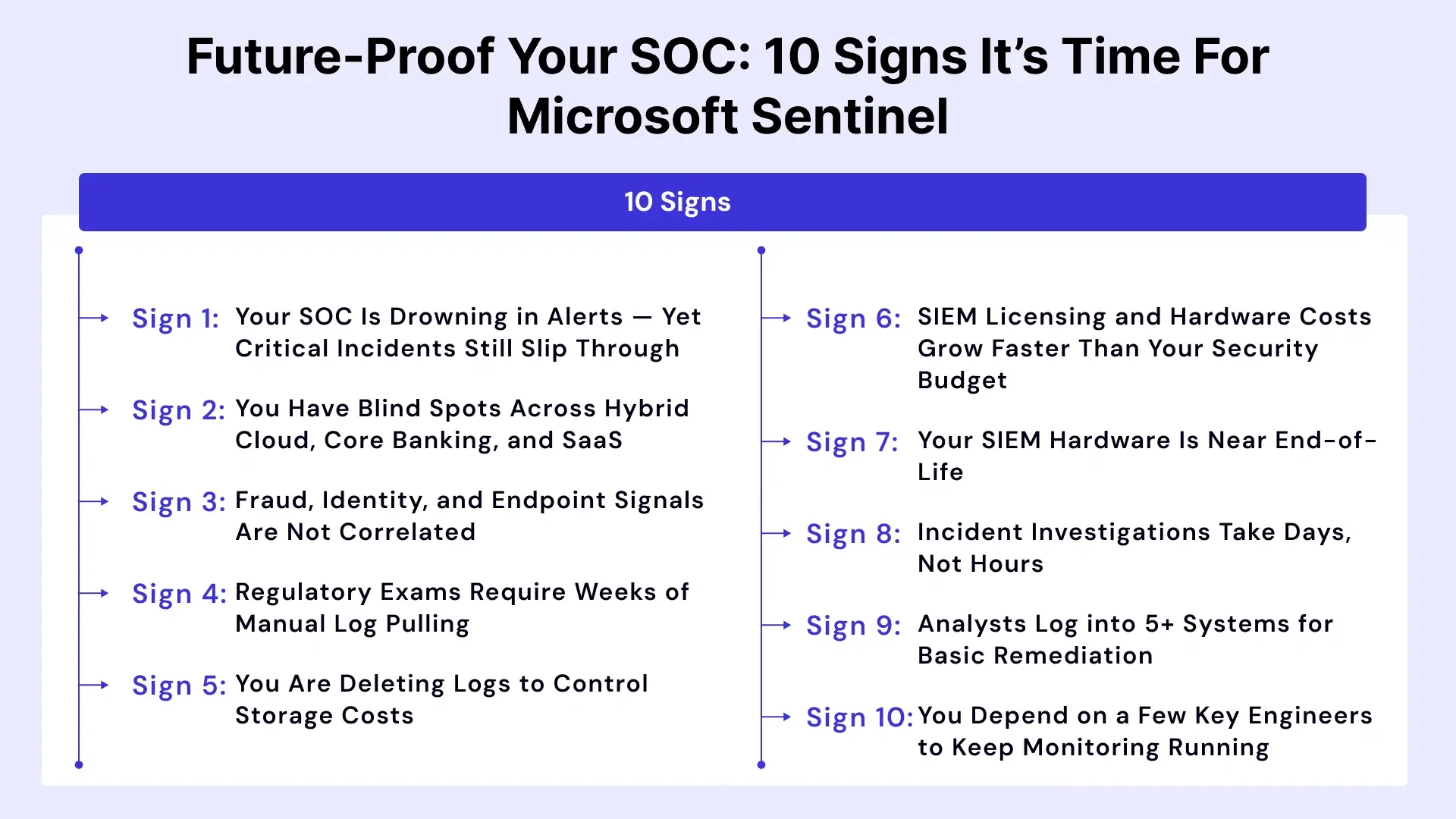
Sign 1: Your SOC Is Drowning in Alerts — Yet Critical Incidents Still Slip Through
Alert fatigue is endemic in financial services security operations. According to industry research, 60% of security teams in finance receive over 500 high-priority alerts daily — and 25% of those go uninvestigated due to bandwidth limitations. When analysts become numb to alerts, they start triaging by volume, not by risk. The result? A missed insider trading anomaly. An undetected credential-stuffing campaign. A lateral movement pattern hiding in plain sight.
Microsoft Sentinel's Fusion analytics engine uses AI-driven correlation to reduce alert noise dramatically, connecting low-fidelity signals into high-confidence incidents. Your SOC stops drowning and starts investigating what actually matters.
Self-Check: If more than 40% of your alerts go uninvestigated each week, this sign applies to your organization.
Sign 2: You Have Blind Spots Across Hybrid Cloud, Core Banking, and SaaS
Your trading platform runs on-premises. Your back-office apps live in Azure. Your HR and collaboration tools are SaaS. Your payment gateway uses a legacy integration. No single tool monitors all of these — and your SIEM was designed for one environment, not five.
In financial services, a cybersecurity service provider's one of the most dangerous blind spots is the inability to correlate an ACH fraud event with an Entra ID login anomaly happening simultaneously. Microsoft Sentinel's 300+ built-in connectors span Microsoft 365, Azure, AWS, GCP, Salesforce, ServiceNow, and dozens of on-premises systems — giving your SOC a true unified view.
Self-Check: If your team regularly receives reports about security events that your SIEM missed, you have blind spots.
Sign 3: Fraud, Identity, and Endpoint Signals Are Not Correlated
Wire transfer fraud is rarely just a payment anomaly — it's almost always accompanied by an identity indicator: impossible travel, unusual login hours, a compromised privileged account. Legacy SIEMs can't connect these dots automatically. Analysts manually reconcile across fraud platforms, IAM systems, and endpoint detection tools — a process that takes hours, but the attackers don't give you.
Microsoft Sentinel's User and Entity Behavior Analytics (UEBA) creates dynamic baselines for every user, account, and device. A wire transfer request that deviates from a user's normal pattern — combined with an anomalous Entra ID login — is surfaced as a single, enriched incident. That's the difference between catching fraud in real time and investigating it weeks later.
Self-Check: If your fraud team and your SOC operate in separate systems with no shared alerting, this sign applies.
Sign 4: Regulatory Exams Require Weeks of Manual Log Pulling
NYDFS cybersecurity exams. GLBA compliance reviews. PCI DSS audits. SOX controls assessments. Each of these demands granular log evidence — privileged access changes, failed authentication attempts, data movement records — across 90- to 365-day windows. If your team answers each exam with an ad-hoc SQL project and a round of panic emails, your SIEM is failing you.
Microsoft Sentinel provides pre-built compliance workbooks for SWIFT, CMMC, NIST, and other frameworks. A North American investment firm, faced with a surprise NYDFS audit, used Sentinel to generate a complete privileged access report for 90 days in under 10 minutes — a process that previously consumed three analyst days of SQL queries.
Self-Check: If audit preparation takes your team more than two business days, this sign applies.
Sign 5: You Are Deleting Logs to Control Storage Costs
This is one of the most dangerous and underreported signs in financial services. SWIFT transaction logs, ATM network events, and privileged access records are being purged — not because they have no security value, but because legacy SIEM storage is too expensive to retain them. Regulators don't accept 'we ran out of storage' as an explanation for missing forensic evidence.
Microsoft Sentinel's Data Lake architecture supports tiered ingestion. High-signal data flows into analytics-ready hot storage. High-volume, lower-priority logs land in cost-optimized cold storage — still queryable for forensics, still compliant, but priced in a way that doesn't force you to choose between retention and budget.
Self-Check: If your log retention policy is driven by storage cost rather than regulatory requirement, this sign applies.
Sign 6: SIEM Licensing and Hardware Costs Grow Faster Than Your Security Budget
Legacy SIEM vendors typically charge by log volume. As your managed cloud services footprint grows — more SaaS applications, more API integrations, more remote endpoints — your ingestion volume grows. Your SIEM bill grows with it, often faster than your security budget. This forces a painful choice: ingest less and have blind spots, or ingest everything and blow the budget.
Microsoft Sentinel's consumption-based pricing model flips this dynamic. Its commitment tiers reward volume with discounts. The Sentinel Data Lake allows low-cost retention of high-volume logs without paying analytics-tier prices. For financial institutions processing millions of daily transactions, this economic shift is material.
Self-Check: If your SIEM cost has grown more than 20% year-over-year without a proportional improvement in detection, this sign applies.
Sign 7: Your SIEM Hardware Is Near End-of-Life
On-premises SIEM appliances have a refresh cycle — and in financial services, that refresh typically runs to six figures before professional services fees. Meanwhile, cloud adoption continues to accelerate. Over 85% of North American financial institutions have moved at least half their workloads to the cloud (Microsoft Digital Defense Report). Refreshing SIEM hardware in 2025 means investing CapEx in an architecture designed for the world that existed when that hardware was first deployed.
Microsoft Sentinel is entirely cloud-native — no hardware, no refresh cycles, no capacity planning for anticipated log volume. It scales automatically with your environment and is maintained entirely by Microsoft's infrastructure team.
Self-Check: If your SIEM appliance is within 18 months of end-of-support or requires a hardware refresh, this sign applies.
Sign 8: Incident Investigations Take Days, Not Hours
A suspicious ATM malware alert lands in your queue on Friday evening. By Monday morning, your L2 analyst has spent four hours manually stitching together logs from five systems, cross-referencing IP reputation databases, and building a timeline in a spreadsheet. This is not an investigation — it's archaeology. And the attackers are long gone.
Microsoft Sentinel's Investigation Graph automatically maps relationships between users, devices, IPs, files, and processes — turning a complex incident into a visual, explorable timeline. Analysts move from triage to root cause in minutes, not days. Mean Time to Respond (MTTR) drops significantly. For financial institutions, where MTTR directly impacts fraud losses, this is not a productivity improvement — it's a financial risk control.
Self-Check: If your average incident investigation requires more than 4 hours of manual work, this sign applies.
Sign 9: Analysts Log into 5+ Systems for Basic Remediation
Blocking a malicious IP requires logging into your firewall management console. Disabling a compromised account means switching to Active Directory or Entra ID. Isolating an infected endpoint means opening Microsoft Intune or your EDR platform. Then back to your SIEM to close the ticket. This tool sprawl is not just an efficiency problem — it's a risk problem. Every manual step is an opportunity for error and delay.
Microsoft Sentinel's automation engine, built on Azure Logic Apps, allows your SOC to define playbooks that execute these actions automatically — or with a single-click approval from within the Sentinel interface. A compromised account can be disabled, flagged for MFA reset, and documented in your ticketing system in under 60 seconds without an analyst switching applications.
Self-Check: If your average remediation workflow requires logging into more than three separate tools, this sign applies.
Sign 10: You Depend on a Few Key Engineers to Keep Monitoring Running
Many financial institution SOCs run on institutional knowledge. One engineer built the correlation rules. Another maintains the SIEM connector to the core banking system. A third is the only person who knows the log parsing configuration. When these individuals are unavailable — vacation, illness, resignation — monitoring degrades. This is not a people problem. It is a platform problem.
Microsoft Sentinel uses detection-as-code, structured KQL-based queries, and managed analytics rules that are documented, versioned, and transferable. Microsoft's threat intelligence is built into the platform — updated continuously without manual tuning. Paired with a managed Sentinel service, your SOC gains 24x7 coverage that doesn't depend on any single individual to function.
Self-Check: If your monitoring would degrade if one or two engineers were unavailable for a week, this sign applies.

Decision Framework: Is Microsoft Sentinel the Right Move for Your Institution?
If four or more of the signs above apply to your organization, the transition to Microsoft Sentinel is no longer optional — it's overdue. Use this readiness model to prioritize your next steps.
The 4-Box Sentinel Readiness Model
| Readiness Dimension | What to Assess | Healthy Benchmark |
| Log Value vs. Noise | What % of ingested logs generate actionable alerts? | Less than 10% noise ratio |
| Detection Latency | Time from event to analyst notification | Under 15 minutes |
| Integration Gap (SOAR) | Can your SIEM auto-isolate endpoints or revoke tokens? | Yes, via automated playbooks |
| TCO & Risk Exposure | CapEx refresh cost vs. Sentinel consumption model | Net positive over 3 years |
SIEM Maturity Path Model
- Stage 1 — Spreadsheet-Based Logging: Manual log review, no correlation engine, audit readiness is a project, not a capability.
- Stage 2 — Legacy SIEM with Blind Spots: On-premises or hybrid SIEM with limited cloud connectors, high false-positive rates, and manual remediation.
- Stage 3 — Cloud-Native Sentinel SOC: AI-driven detection, automated response playbooks, unified cross-platform visibility, and continuous compliance readiness.
Most financial institutions operating a legacy SIEM sit at Stage 2. The question is not whether they need to move to Stage 3 — it's how to get there without disruption.
How Microsoft Sentinel Addresses These Signs (Finance-Focused Capabilities)
Microsoft Sentinel is not just another SIEM. It is purpose-built for the scale, complexity, and regulatory demands of modern financial services environments.
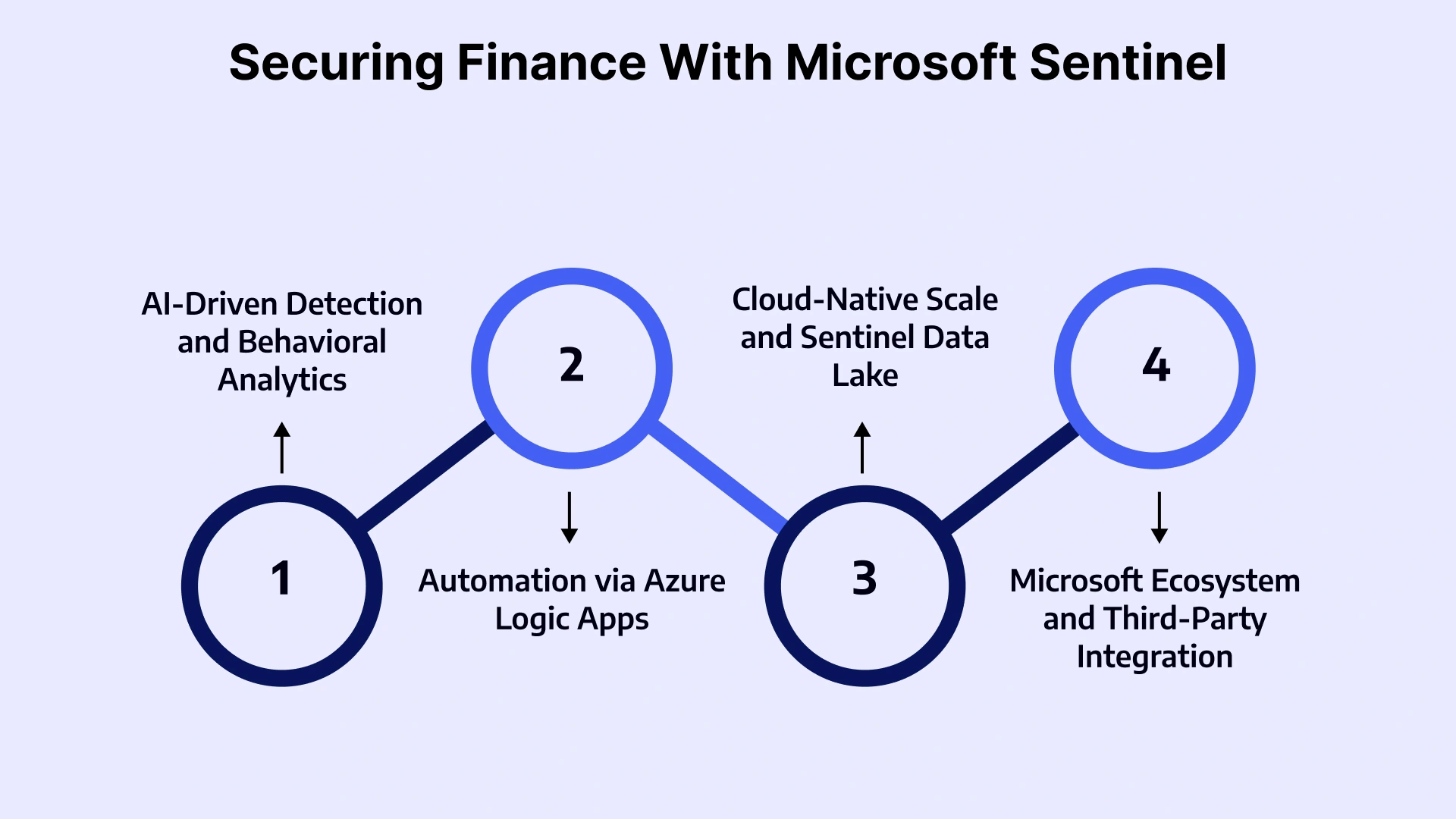
AI-Driven Detection and Behavioral Analytics
Fusion analytics correlates signals across identity, endpoint, network, and application layers — surfacing multi-stage attacks that individual alerts would never reveal. UEBA creates dynamic behavioral baselines for every user and entity, flagging deviations that pattern-matching rules miss.
Automation via Azure Logic Apps
From auto-disabling compromised accounts to pausing suspicious wire transfers pending MFA verification, Logic Apps enables SOC teams to enforce response playbooks consistently — at machine speed, without analyst intervention.
Cloud-Native Scale and Sentinel Data Lake
Sentinel eliminates the CapEx burden of on-premises storage while providing tiered retention options that satisfy even the most demanding regulatory retention requirements. High-value logs stay hot and queryable. High-volume, lower-priority logs are retained at low cost.
Microsoft Ecosystem and Third-Party Integration
Native integration with Microsoft 365, Microsoft Defender XDR, Entra ID, Microsoft Intune, and Purview — combined with 300+ data connectors for third-party systems — means Sentinel becomes the unified control plane across your entire security stack.
Financial Services Use Cases That Drive ROI
Driving Return on Investment (ROI) in financial services requires moving beyond technology hype and focusing on initiatives that directly impact the top line (revenue) or the bottom line (cost reduction and efficiency).
Here are key use cases that consistently drive measurable ROI, categorized by their primary business impact.
| Use Case | Business Risk Without Sentinel | Sentinel Mitigation |
| Wire Transfer & ACH Fraud Detection | Missed fraud = direct financial loss | UEBA + Logic Apps auto-pause suspicious transactions |
| SWIFT Monitoring | Regulatory non-compliance, reputational damage | Pre-built SWIFT connector + compliance workbooks |
| Insider Risk on Trading Desks | Regulatory violation, market manipulation exposure | UEBA behavioral baselining + anomaly detection |
| Privileged Access Tracking | Audit findings, unauthorized escalation | Continuous privileged identity monitoring + reporting |
| NYDFS / PCI DSS Audit Reporting | Exam failures, remediation costs, fines | On-demand compliance workbooks, evidence packages |
Leveraging VLink Expertise for Microsoft Business Solutions
Knowing you need Microsoft Sentinel is the first step. Deploying it in a way that delivers immediate, measurable value for a financial institution is an entirely different challenge. That's where VLink's financial services practice makes the difference.
VLink's dedicated team of certified Microsoft security architects and financial services specialists brings deep expertise across managed cybersecurity services, cloud migration consulting services, and managed cloud services. We don't just install Sentinel — we design your detection strategy, configure finance-specific analytics rules, integrate your core banking and payments systems, build compliance workbooks aligned to NYDFS, GLBA, and PCI DSS, and operationalize automated playbooks tailored to your threat model.
From cloud infrastructure services to end-to-end Microsoft business solutions — VLink delivers the technical depth and regulatory fluency that financial CISOs need when modernizing their security operations. Our cybersecurity service provider practice has successfully deployed and managed Sentinel for North American financial institutions ranging from regional community banks to multi-billion-dollar investment firms.
Whether you are at any stage of the SIEM maturity path, VLink can accelerate your journey to a cloud-native Sentinel SOC — with minimal disruption and maximum compliance confidence.

The Bottom Line: Your Next Move
The 10 signs outlined in this blog are not hypothetical future risks — they are conditions actively present in the majority of North American financial institutions still running legacy SIEM infrastructure. If your organization recognizes itself in four or more of these signs, the business case for Microsoft Sentinel is already built. The remaining question is execution.
VLink's finance software solutions security team offers several structured next steps depending on where you are in your evaluation. A Sentinel Readiness Assessment reviews your current environment against the 4-Box framework and identifies your highest-priority gaps. A Log Ingestion Strategy Workshop maps your data sources, prioritizes ingestion, and designs a cost-optimized architecture. A Compliance Mapping Session aligns your NYDFS, PCI DSS, and GLBA requirements to specific Sentinel workbooks and detection rules. A Pilot Deployment or Proof of Concept delivers Sentinel in a contained environment — real data, real detections, measurable outcomes — before full commitment.
The cost of standing still grows with every threat actor that knows your detection gaps better than your SOC does. The organizations that modernize their security operations today will be the ones that face tomorrow's auditors, regulators, and threat actors from a position of strength. Don't wait, reach out to our experts today to start your transition now.

Vice President, Strategy – VLink Inc.
Sambhavi Gopalakrishnan is the Vice President of Strategy at VLink Inc., bringing over a decade of experience in IT leadership, project implementation, and strategic growth. She possesses a strong foundation in technical project management and pre-sales, driving innovation and business transformation at VLink.

 Shivisha Patel