


Every security decision carries weight. According to IBM's 2024 Cost of a Data Breach Report, organizations with high levels of security automation saved an average of $2.22 million compared to those without. Yet 75% of enterprises are still managing 15+ disconnected security vendors, creating dangerous gaps that sophisticated attackers exploit daily.
The Microsoft 365 E3 vs E5 security comparison isn't just about features on a spreadsheet. It's about whether your organization is reacting to threats or preventing them through automated, identity-centric defense. More critically, it's about understanding which security capabilities you already own—and aren't using.
Gartner reports that 75% of organizations are actively pursuing security vendor consolidation, with M365 E5 emerging as the primary vehicle. Meanwhile, Forrester's Total Economic Impact study found a 3-year ROI of 46% for E5 deployments, driven primarily by retired third-party licensing costs and reduced breach risk.
This guide cuts through the noise. You'll discover which E3 capabilities are sitting dormant in your environment, when E5 becomes non-negotiable, and how to build a security roadmap that matches your organization's actual risk profile—not just your budget.
Is Microsoft 365 E3 Enough—or Do You Actually Need E5?
The answer depends less on your industry and more on your security maturity and threat profile.
Most organizations fall into three archetypes:
The 3 Most Common Security Archetypes We See
- Cost-sensitive organizations have limited budgets but face standard threat actors. They need maximum value from existing tools before considering upgrades.
- Compliance-driven enterprises in regulated sectors (financial services, healthcare, public sector) face mandatory requirements that only E5's advanced compliance features can satisfy.
- High-risk/targeted organizations experience sophisticated, persistent threats. They require the automation and integration depth that E5 provides to reduce Mean Time to Repair (MTTR) by up to 90%.
One-Screen Decision Snapshot
Your Situation | Recommended Path | Key Trigger |
E3 under-deployed; basic threat landscape | Stay on E3 + optimize | <5 conditional access policies; no DLP enforcement |
Growing security team; selective gaps | E3 + targeted add-ons | Need PIM or advanced eDiscovery, but not full XDR |
SOC build-out; consolidation strategy | E5 Security add-on | Retiring 3+ point tools; need unified XDR |
Regulated industry; sophisticated threats | Full E5 | Mandatory insider risk management; advanced audit retention |
How Microsoft 365 Actually Secures Your Environment
Before comparing SKUs, understand the architecture.
The Shared Responsibility Model (What Microsoft Secures vs What You Own)
Microsoft secures the infrastructure—data centers, physical servers, and network fabric. You secure everything else: identity configuration, access policies, data classification, device management, and threat response.
This is where most E3 customers leave value on the table. They assume Microsoft "handles security" when in reality, Microsoft provides tools—which require configuration, tuning, and ongoing management.
Zero Trust in M365: Identity, Device, Data, Apps
Microsoft's Zero Trust model operates across four planes:
- Identity is the control plane. With 80% of breaches involving compromised credentials, securing identities isn't optional—it's foundational.
- Devices must be known, compliant, and continuously validated before accessing corporate resources.
- Data requires classification, protection policies, and monitoring across its entire lifecycle.
- Apps need governance, especially SaaS applications that create shadow IT risks.
Why Identity Is the Control Plane (80% of Breaches Start Here)
Traditional perimeter security failed because attackers simply steal credentials. Modern security assumes breach and validates every access request based on risk signals: user behavior, device health, location, and application sensitivity.
E3 provides basic conditional access. E5 adds risk-based conditional access—automatically blocking 99% of automated identity attacks through machine learning-driven risk detection.
Microsoft 365 E3 vs E5 Security Foundations
Here's what separates the two licenses across critical security domains.
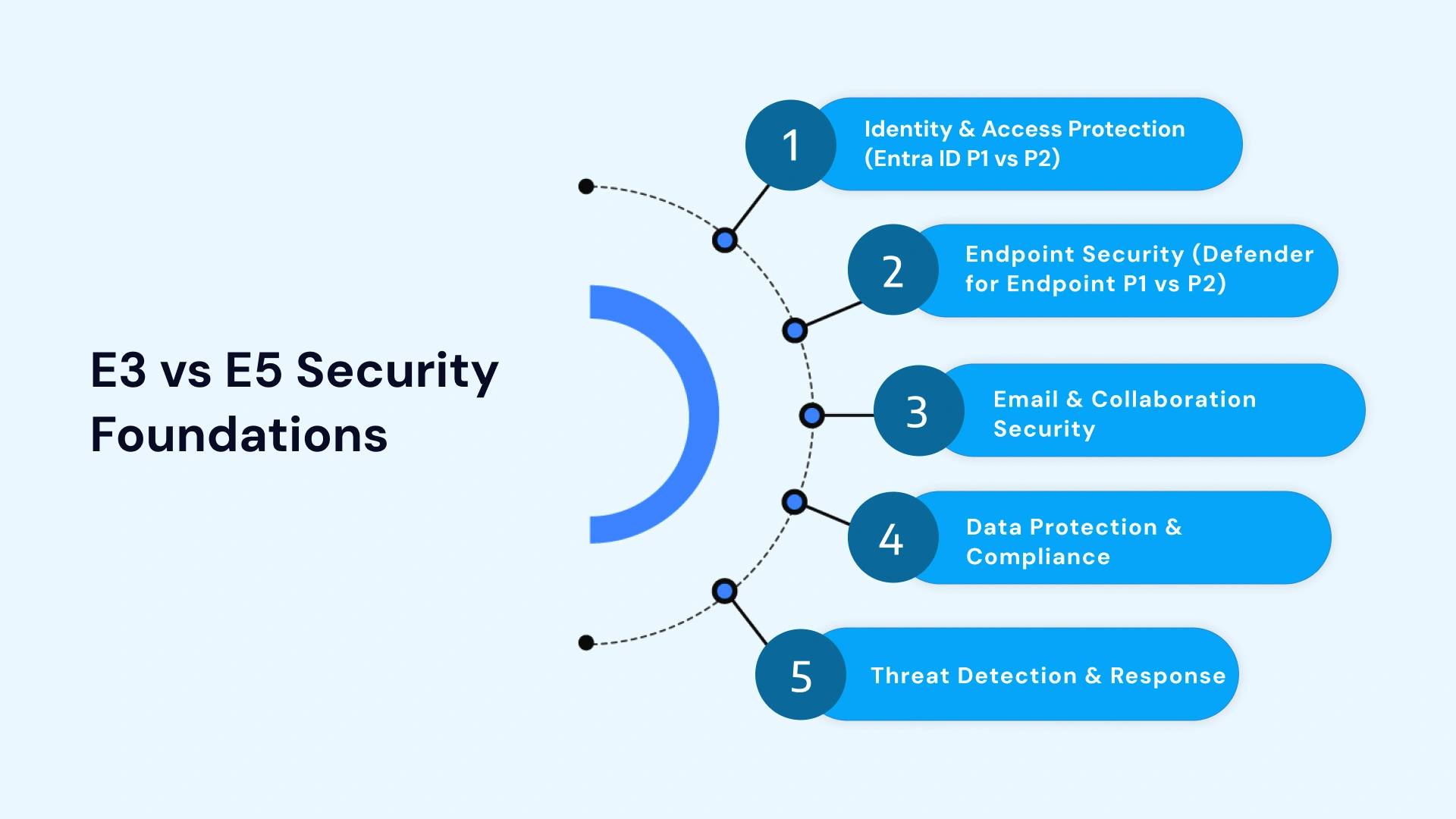
Identity & Access Protection (Entra ID P1 vs P2)
E3 includes Entra ID P1:
- Conditional Access policies (device, location, application controls)
- Multi-factor authentication (MFA)
- Self-service password reset
- Group-based access management
E5 adds Entra ID P2:
- Identity Protection: Risk-based conditional access that detects anomalous sign-ins and leaked credentials
- Privileged Identity Management (PIM): Just-in-time admin access eliminates standing privileges
- Access reviews and entitlement management
- Advanced security reports with ML-driven insights
Endpoint Security (Defender for Endpoint P1 vs P2)
E3 includes Defender for Endpoint P1:
- Next-generation antivirus
- Attack surface reduction rules
- Device-based conditional access
- Manual threat remediation
E5 adds Defender for Endpoint P2:
- Automated Investigation and Response (AIR): Self-healing capabilities reduce MTTR by 90%
- Advanced hunting with Kusto Query Language (KQL)
- Endpoint Detection and Response (EDR) in block mode
- Threat and vulnerability management
- Device isolation and live response
Email & Collaboration Security
E3 includes Defender for Office 365 Plan 1:
- Safe Links and Safe Attachments
- Anti-phishing policies
- Real-time detections
- Basic threat investigation
E5 adds Defender for Office 365 Plan 2:
- Automated Investigation and Response for email threats
- Threat Trackers and Campaign Views
- Attack Simulation Training
- Advanced hunting across email, identity, and endpoints
Data Protection & Compliance
E3 includes:
- Basic Data Loss Prevention (DLP)
- Manual sensitivity labels
- Standard eDiscovery
- Basic audit logs (90-day retention)
- Core information barriers
E5 adds:
- Auto-labeling with trainable classifiers
- Exact Data Match (EDM) for precise data protection
- Insider Risk Management with AI-driven behavioral analytics
- Advanced eDiscovery with ML-assisted review
- Advanced Audit (1-year retention + crucial events like MailItemsAccessed)
- Communication compliance
- Information barriers at scale
Threat Detection & Response
E3 provides:
- Individual Defender products working in silos
- Manual investigation workflows
- Basic reporting per product
E5 provides:
- Defender XDR: Unified Extended Detection and Response platform
- Cross-signal correlation (email + endpoint + identity + cloud apps)
- Automated investigation across the entire attack chain
- Advanced hunting with 30-day query retention
- Custom detection rules and automated remediation
E3 vs E5 Security Feature Comparison Matrix
Protection Domain | E3 Capabilities | E5 Capabilities | Business Impact |
Identity | Entra ID P1, MFA, Conditional Access | + Identity Protection, PIM, risk-based access | 99% reduction in automated identity attacks |
Endpoint | Defender for Endpoint P1 (AV, ASR) | + Defender P2 (EDR, AIR, advanced hunting) | 90% reduction in MTTR |
Defender for Office 365 Plan 1 | + Plan 2 (AIR, Threat Trackers, Attack Sim) | 60% reduction in successful phishing | |
Data | Basic DLP, manual labels | + Auto-labeling, EDM, Insider Risk | 80% improvement in data classification coverage |
Compliance | Standard eDiscovery, 90-day audit | + Advanced eDiscovery, 1-year audit, Insider Risk | 60-80% reduction in investigation time |
Threat Detection | Individual product alerts | + Defender XDR, unified hunting, cross-signal correlation | 70% reduction in alert volume through consolidation |
The Hidden and Underused Security Features in E3 You're Probably Ignoring
Most organizations rush to evaluate E5 before fully deploying E3 capabilities. This is backwards.
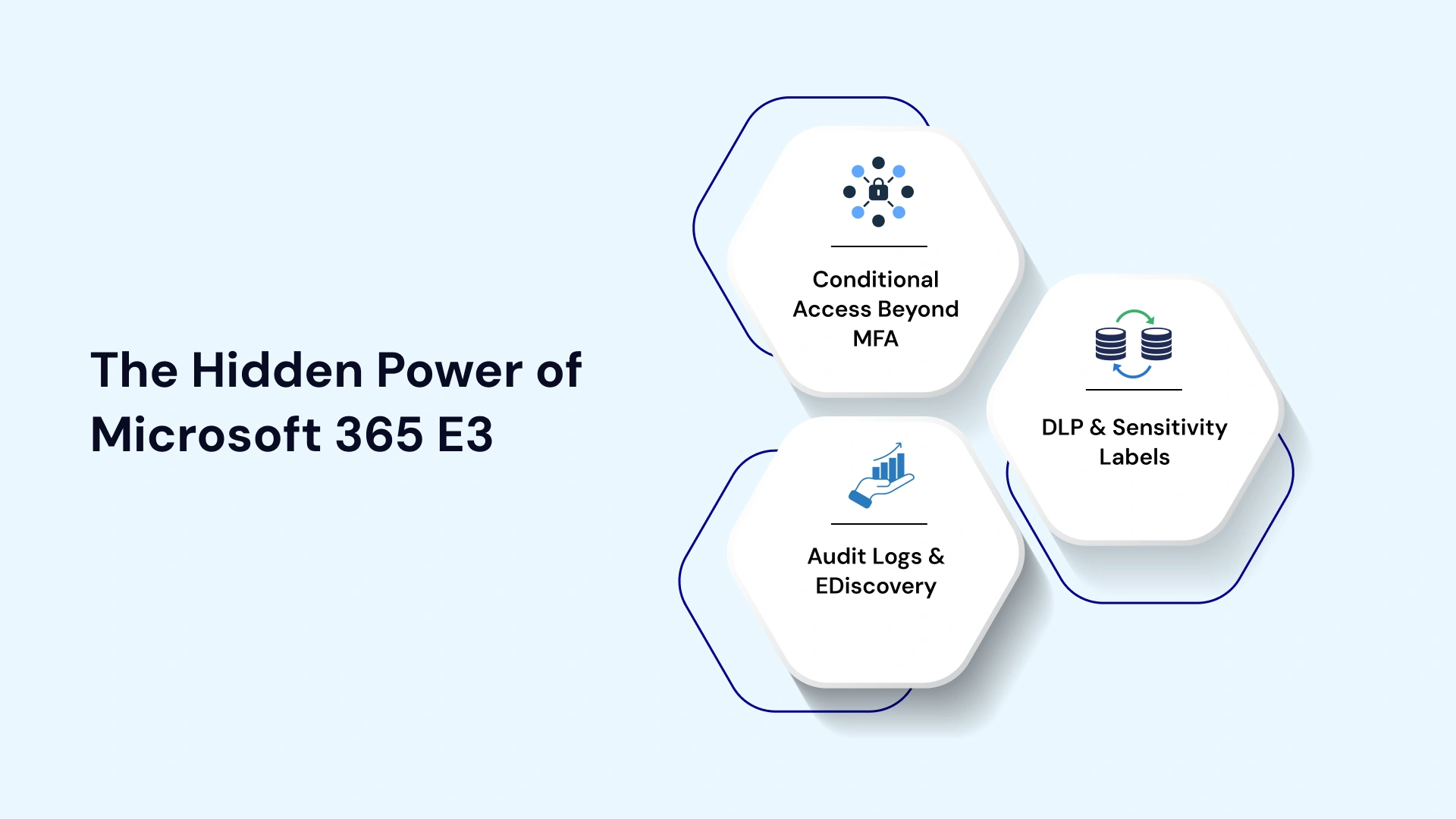
1. Conditional Access Beyond MFA (Most Orgs Stop Too Early)
If your only conditional access policy is "require MFA for all users," you're missing 80% of the value.
What you should configure:
- Block legacy authentication (protocols like IMAP, POP, SMTP that bypass modern auth)
- Require compliant devices for access to sensitive applications
- Location-based restrictions blocking access from high-risk countries
- Application-specific policies (e.g., require managed devices for SharePoint access)
- Sign-in frequency controls for high-risk applications
Real-world impact: A global services firm had MFA enabled across its E3 environment, but no legacy authentication block. Attackers used a compromised password through IMAP to access the CEO's mailbox—bypassing MFA entirely.
2. DLP & Sensitivity Labels That Exist—but Aren't Enforced
E3 includes robust DLP capabilities, yet most organizations either:
- Create sensitivity labels without policy enforcement
- Enable DLP in "test mode" and never switch to enforcement
- Fail to configure user justification tracking for overrides
What you should enable:
- Automatic classification tips when users handle sensitive data
- Policy enforcement (not just monitoring) for top-tier classifications
- Integration with Defender for Cloud Apps to extend DLP to third-party SaaS
- Alerts for bulk label downgrades or removals
The gap: If users can freely share files labeled "Confidential" externally without justification, your labels are decorative—not protective.
3. Audit Logs & eDiscovery That Are Rarely Tuned
E3 provides audit logging and eDiscovery Standard, but with major limitations if left at default settings.
Common misconfigurations:
- Relying on the default 90-day audit retention (inadequate for most investigations)
- Not enabling mailbox auditing for all users
- Failing to create eDiscovery cases proactively for high-risk custodians
- Missing crucial admin action logs during security incidents
What you should configure:
- Enable unified audit log search
- Create retention policies for audit logs beyond 90 days (requires add-on)
- Configure litigation hold for departing employees
- Establish eDiscovery workflows before you need them
What E5 Security Unlocks—After You've Properly Tuned E3
Once you've maximized E3, E5 becomes an architectural upgrade—not just more features.
1. Identity: Risk-Based Access & Privileged Controls
Identity Protection moves you from static policies to dynamic risk assessment. The system detects:
- Unfamiliar sign-in properties
- Atypical travel (impossible geography)
- Leaked credentials from breach databases
- Anonymous IP addresses and Tor networks
When risk is detected, you can automatically require step-up authentication, force password changes, or block access entirely—without manual intervention.
Privileged Identity Management (PIM) eliminates standing admin rights. Instead of permanent Global Administrators, PIM provides:
- Just-in-time activation (approved for 4 hours, then expires)
- Approval workflows for sensitive roles
- Audit trails showing who activated privileges and when
- Automatic alerts for suspicious elevation patterns
Real-world impact: A financial services organization detected an employee downloading 10,000+ customer records to their personal OneDrive. Insider Risk Management flagged the pattern, automatically revoked access, and alerted the CISO—all within 12 minutes.
2. Threat Protection: From Alerts to Automated Response
E3 generates alerts. E5 responds automatically.
Defender XDR correlates signals across:
- Email (Defender for Office 365)
- Endpoints (Defender for Endpoint)
- Identity (Entra ID Protection)
- Cloud Apps (Defender for Cloud Apps)
When a phishing email bypasses filters and a user clicks the malicious link, Defender XDR:
- Identifies the compromised account
- Isolates the affected device
- Remediates the email from all mailboxes
- Resets user credentials
- Creates a detailed investigation report
All automatically. No analyst required for Tier 1 triage.
Tips:- Automated Investigation and Response (AIR) handles 70% of low-level alerts, freeing your SOC to focus on advanced threats and proactive hunting.
3. Data & Insider Risk
Insider Risk Management uses behavioral analytics to detect:
- Data exfiltration patterns
- Risky browser activity (uploading to personal cloud storage)
- Departing employee risks
- Security policy violations
The system learns normal user behavior, then flags deviations without monitoring content—preserving privacy while detecting risk.
Exact Data Match (EDM) protects specific data elements (bank account numbers, patient IDs, proprietary formulas) by matching against your exact database rather than patterns. This eliminates false positives common with pattern-based DLP.
Advanced eDiscovery uses machine learning to:
- Group similar documents automatically
- Identify privileged content
- Suggest relevance scoring
- Reduce review time by 60-80%
4. SaaS Visibility & Shadow IT Control
Defender for Cloud Apps (CASB) provides visibility into all cloud applications used in your environment—sanctioned or not.
Features include:
- Cloud Discovery dashboard showing shadow IT usage
- Conditional Access App Control for real-time session monitoring
- Data loss prevention for third-party SaaS
- Anomaly detection for unusual application behavior
- OAuth app governance
Decision Framework: E3 vs E5 vs E3 + E5 Security Add-On
The licensing decision isn't binary. Three paths exist.
Scenario 1: Well-Tuned E3 + Select Add-Ons
When this works:
- You've deployed conditional access comprehensively
- Basic DLP and labeling meet current needs
- Limited compliance requirements
- Small to mid-sized security team
Add-on strategy:
- Purchase E5 Security for Defender XDR if consolidating SIEM/EDR
- Add Advanced eDiscovery individually if litigation demands it
- Retain third-party tools where they excel (e.g., specialized CASB)
Cost consideration: E5 Security add-on ($12/user/month) versus full E5 upgrade ($38/user/month)
Scenario 2: E3 + E5 Security Bundle
When this works:
- Need advanced threat protection and automation
- Building or expanding SOC capabilities
- Consolidation strategy to retire 3+ security vendors
- Don't need advanced compliance or analytics
What you get:
- All E5 security features
- Defender XDR
- Identity Protection and PIM
- Cloud App Security
- Advanced threat analytics
What you don't get:
- Advanced compliance (Insider Risk, Communication Compliance)
- Power BI Pro
- Advanced analytics tools
Scenario 3: Full E5 (Security + Compliance + Analytics)
When this is non-negotiable:
- Regulated industry with mandatory data governance
- Insider threat program requirements
- Advanced audit retention mandates
- Need a unified platform for security, compliance, and analytics
Quick Decision Table
Trigger | Recommendation |
Currently on E3, well-configured, stable threat landscape | Stay on E3; maximize what you own |
Need PIM or Identity Protection only | Add Entra ID P2 individually ($9/user/month) |
Building SOC; consolidating security tools | E5 Security add-on |
Financial services, healthcare, public sector | Full E5 |
Insider risk or data exfiltration concerns | Full E5 |
Managing >5,000 users with complex compliance | Full E5 |
Risk, ROI, and Security Tool Consolidation Analysis
License cost is only one variable in the equation.
Cost of a Breach vs License Uplift
For a 1,000-user organization:
- E3 to E5 upgrade: ~$38,000/month additional cost ($456,000/year)
- Average cost of a data breach (IBM): $4.88 million
- Average cost with high security automation: $2.66 million reduction
Break-even analysis: If E5's automation prevents one moderate breach every 5-6 years, the license cost is justified purely on risk reduction. This excludes operational efficiency gains, reduced tool sprawl costs, and faster incident response.
Licensing Cost Comparison (1,000 Users)
| License Model | Monthly Cost | Annual Cost | Key Inclusions | Best For |
| E3 only | $36,000 | $432,000 | Foundation security + productivity | Well-configured environments; basic threats |
| E3 + Entra ID P2 | $45,000 | $540,000 | + Identity Protection, PIM | Organizations needing just privileged access controls |
| E3 + E5 Security | $48,000 | $576,000 | + All E5 security, no advanced compliance | SOC build-out; vendor consolidation |
| Full E5 | $74,000 | $888,000 | Security + compliance + analytics | Regulated industries; complete platform |
Tool Sprawl vs Defender-Centric XDR
Typical E3 security stack:
- Third-party EDR ($40-60/user/year)
- Email security gateway ($20-35/user/year)
- CASB ($15-25/user/year)
- SIEM ($50-100/user/year for smaller deployments)
- Privileged Access Management ($30-50/user/year)
Total external tool cost: $155-270/user/year
E5 Security add-on cost: $144/user/year
Consolidation ROI: Beyond cost savings, you eliminate:
- Integration complexity between vendor APIs
- Alert fatigue from disparate consoles
- Delayed response from context-switching
- Vendor finger-pointing during incidents
Real example: A manufacturing firm retired CrowdStrike, Proofpoint, and Netskope after E5 migration. Annual savings: $1.4 million. Alert volume reduced by 60% through the unified Defender XDR dashboard.
Where Consolidation Fails (And How to Avoid It)
Consolidation isn't automatic. It requires:
- Skill development: Your team needs training on Defender products, KQL hunting, and incident response workflows.
- Change management: Security teams resist retiring familiar tools. Executive sponsorship is critical.
- Phased migration: Don't rip out all third-party tools simultaneously. Run parallel for 60-90 days while proving E5 capabilities.
- Gap acknowledgment: E5 isn't best-in-breed for every category. Know where you'll keep specialized tools (e.g., web application firewalls, network security).
A Maturity-Based Security Roadmap for Microsoft 365 Customers
Security maturity dictates your licensing path more than budget.
1. Basic Maturity (Reactive)
Characteristics:
- Limited security team
- Reactive incident response
- Minimal security automation
- Ad-hoc policy enforcement
E3 priorities (30-90 days):
- Enable MFA universally
- Block legacy authentication
- Configure 5-10 conditional access policies
- Enable mailbox auditing
- Create basic DLP policies for PII/PHI
- Deploy basic sensitivity labels
E5 consideration: Not yet. Maximize E3 first.
2. Growing Maturity (Proactive)
Characteristics:
- Dedicated security team or SOC
- Proactive threat hunting
- Documented incident response plans
- Regular security assessments
E3 priorities (90-180 days):
- Enforce DLP policies (not just monitor)
- Implement device compliance requirements
- Configure application-specific conditional access
- Establish eDiscovery workflows
- Enable advanced audit log retention
E5 priorities (if upgrading):
- Deploy Identity Protection with risk-based policies
- Implement PIM for all privileged roles
- Enable Defender XDR with AIR
- Configure Insider Risk Management
- Integrate Defender for Cloud Apps
E5 consideration: Yes, if building SOC or consolidating tools.
3. Advanced Maturity (Automated)
Characteristics:
- Mature SOC with threat intelligence
- Automated response playbooks
- Continuous security validation
- Integration with broader security ecosystem
Full E5 operationalization (180-365 days):
- Custom detection rules in Defender XDR
- Advanced hunting queries for threat intelligence
- Automated remediation workflows
- Communication compliance for regulated industries
- Advanced eDiscovery for complex investigations
- Full CASB implementation with session policies
Daywise Enablement Timeline
| Timeframe | E3 Focus | E5 Focus (if applicable) |
| Days 1-30 | MFA + legacy auth block + basic conditional access | Identity Protection pilot; PIM for global admins |
| Days 31-90 | DLP enforcement + device compliance + audit retention | Defender XDR deployment; AIR configuration |
| Days 91-180 | Advanced conditional access + sensitivity labels | Insider Risk Management; Advanced eDiscovery |
| Days 181-365 | Continuous optimization + gap assessment | Custom detections, advanced hunting; full CASB |
Industry-Specific Considerations (When E5 Becomes Mandatory)
Certain industries face regulatory requirements that only E5 can satisfy.
Financial Services
Regulatory drivers:
- SEC 17a-4 (email archiving and retention)
- FINRA 4511 (supervisory procedures)
- GLBA (customer data protection)
- PCI DSS (payment card data)
E5 mandatory features:
- Advanced Audit for 1-year+ retention
- Communication Compliance for monitoring broker-dealer communications
- Insider Risk Management for detecting unusual trading patterns or data access
- Advanced eDiscovery for litigation and regulatory investigations
- Exact Data Match for protecting account numbers and PII
Without E5: Requires expensive third-party archiving, surveillance, and data protection tools—often costing more than the E5 upgrade.
Healthcare & Life Sciences
Regulatory drivers:
- HIPAA (Protected Health Information)
- HITECH Act (breach notification)
- FDA 21 CFR Part 11 (electronic records)
- GDPR (patient data in the EU)
E5 mandatory features:
- Advanced DLP with EDM for patient identifiers
- Sensitivity labels with automatic protection policies
- Advanced Audit for demonstrating access controls
- Information Barriers to prevent conflicts of interest in research
- Customer Lockbox ensures Microsoft cannot access PHI without explicit approval
Without E5: HIPAA compliance requires extensive third-party DLP, monitoring, and audit solutions.
Public Sector & Regulated Enterprises
Regulatory drivers:
- CMMC (Cybersecurity Maturity Model Certification)
- NIST 800-171 (CUI protection)
- FedRAMP (federal cloud security)
- ITAR (defense trade controls)
E5 mandatory features:
- Defender XDR for CMMC Level 3 incident response requirements
- Advanced Audit for NIST 800-171 audit trails
- Privileged Identity Management for least privilege access
- Government Community Cloud (GCC) High availability with E5
Without E5: Public sector contractors struggle to meet CMMC Level 2/3 requirements without significant investment in third-party solutions.
Self-Assessment: Are You Underutilizing Your Current M365 Security?
Before considering an upgrade, evaluate your current deployment.
10-Question Utilization Checklist
Identity & Access:
1. Do you have 10+ conditional access policies covering device, location, application, and risk scenarios?
2. Are you blocking legacy authentication protocols entirely?
3. Do privileged users require approval and justification for admin access elevation?
Data Protection:
4. Are sensitivity labels automatically applied to 80%+ of new documents?
5. Do DLP policies actively block (not just alert) on high-severity violations?
6. Can you demonstrate which users accessed specific sensitive documents in the past 90 days?
Threat Protection:
7. Are endpoint threats automatically remediated, or do you manually investigate every alert?
8. Can you correlate a suspicious email to endpoint activity to identity risk in a single view?
9. Do you run regular attack simulations and automatically assign training to users who fail?
Compliance & Audit:
10. Can you produce all communications from a specific custodian within 24 hours for legal hold?
Scoring:
- 8-10 yes: You're maximizing your current license; E5 provides clear ROI through automation and advanced features
- 4-7 yes: Significant optimization needed before upgrade; focus on E3 deployment first
- 0-3 yes: You have major gaps; upgrading to E5 won't help until foundational security is configured
Accelerate Your Business with VLink's Microsoft Expertise
Licensing decisions are only the beginning. Realizing the value requires deep expertise in architecture, deployment, and ongoing optimization.
VLink's Microsoft Business Solutions help enterprises:
Optimize your current M365 investment:
- Security posture assessments identifying underutilized E3/E5 features
- Gap analysis showing where third-party tools can be retired
- Custom conditional access and DLP policy design
- Zero Trust architecture implementation
Navigate E3 to E5 migrations:
- ROI modeling comparing licensing paths (E3, E3 + Security, full E5)
- Phased migration roadmaps with minimal business disruption
- Training programs for security teams on Defender XDR and advanced features
- Post-deployment optimization ensuring maximum feature utilization
Accelerate security maturity:
- SOC build-out leveraging Defender XDR as your SIEM/XDR platform
- Insider Risk Management program design and operationalization
- Advanced hunting query development and threat intelligence integration
- Compliance automation for regulated industries
Our certified Microsoft experts have deployed M365 security across financial services, healthcare, manufacturing, and public sector—helping organizations achieve 112% ROI through tool consolidation, automated response, and reduced breach risk.
Final Takeaway: Architecture First, Licensing Second
The E3 vs E5 decision isn't about features—it's about security architecture and operational maturity.
When Staying on E3 Is the Smart Move
You should stay on E3 if:
- Your current E3 deployment has significant gaps in configuration
- You lack the security team capacity to operationalize advanced features
- Your threat landscape doesn't justify the automation investment
- You're better served by best-of-breed tools in specific categories
With the ideal cybersecurity consulting services, upgrading to E5 with a poorly configured E3 environment just gives you more features you won't use.
When E5 Is the Only Responsible Choice
You must upgrade to E5 if:
- Regulatory requirements demand advanced audit retention, insider risk management, or communication compliance
- You're building or expanding a SOC and need unified XDR capabilities
- Your organization has experienced identity-based breaches that risk-based authentication would prevent
- You're consolidating 3+ security vendors and need a unified platform
- Your Mean Time to Repair exceeds 48 hours due to manual investigation overhead
The financial argument is compelling. The operational argument is definitive. The regulatory argument is non-negotiable. Start with architecture. Map your Zero Trust requirements to capabilities. Then choose the license that supports your design—not the other way around.
Ready to optimize your Microsoft 365 security investment? Contact VLink for a comprehensive security and licensing assessment.

Vice President, Strategy – VLink Inc.
Sambhavi Gopalakrishnan is the Vice President of Strategy at VLink Inc., bringing over a decade of experience in IT leadership, project implementation, and strategic growth. She possesses a strong foundation in technical project management and pre-sales, driving innovation and business transformation at VLink.

 Shivisha Patel