

Every digital health team eventually hits the same wall. The product idea is solid, the design is polished, and then someone asks, "Is this HIPAA-compliant?" Suddenly the roadmap needs encryption decisions, vendor agreements, audit logging, and a security review, and nobody is sure which of those are legally required and which are just good practice.
This guide is written to remove that uncertainty. It explains how to build a HIPAA-compliant healthcare mobile app from the first requirements workshop to post-launch monitoring, covering the rules that apply, the technical controls that satisfy them, the mistakes that cause real breaches, and what compliance does to your budget and timeline.
Why "HIPAA Compliant" Is Harder for Mobile Than for Web
Mobile changes the compliance picture. Phones get lost, shared, jailbroken, and backed up to personal clouds. Apps run on networks you don't control, store data in places you can't inspect, and pull in dozens of third-party libraries for analytics, crash reporting, and messaging. Each of those is a place where protected health information can leak.
That is why HIPAA compliance for mobile apps needs more than a checklist stapled to a finished product. Teams that succeed in HIPAA-compliant mobile app development treat compliance as a set of engineering requirements, the same way they treat performance or accessibility. The rest of this guide walks through how to do that, step by step, so that HIPAA-compliant healthcare app development becomes a repeatable process instead of a scramble. It also shows how to make a mobile app HIPAA-compliant without slowing your team to a crawl.
Note: This blog is practical engineering and product guidance, not legal advice. HIPAA obligations depend on your role and data, so have qualified healthcare counsel or a compliance officer confirm how the rules apply to your organization.
What HIPAA Actually Requires of a Mobile App
When building or operating a mobile application that touches health data, one of the most common misconceptions is that "HIPAA applies to any app that collects health information.
In reality, HIPAA does not regulate data based purely on what the data is; it regulates data based on who collects, stores, or transmits it.
Who Has to Comply
HIPAA applies to covered entities (providers, health plans, clearinghouses) and their business associates: any vendor that handles PHI on their behalf. If you build a healthcare mobile application for a hospital, clinic, or insurer, your company is almost certainly a business associate.
If you build a direct-to-consumer app that never touches a covered entity's data, HIPAA may not apply, though other laws (such as the FTC Health Breach Notification Rule and state privacy laws) may. This distinction is the first question in any HIPAA-compliant app development for healthcare providers project, and in any HIPAA-compliant mobile application built for a health system.
The Three Rules That Matter
- Privacy Rule: governs when PHI can be used or disclosed and gives patients rights over their data.
- Security Rule: requires administrative, physical, and technical safeguards for ePHI. This is where most engineering requirements come from.
- Breach Notification Rule: requires notification to affected individuals, HHS, and in some cases the media after a breach of unsecured PHI, generally without unreasonable delay and within 60 days of discovery.
What Counts as PHI
PHI is health information linked to an identifier: name, address, phone number, email, medical record number, device identifiers, IP address, biometric data, full-face photos, and more. In a mobile app, even a "harmless" appointment reminder that names a clinic and a patient can qualify.
HIPAA Mobile App Requirements: The Safeguards Explained
Anyone planning healthcare mobile application development for a regulated customer needs to know these requirements before scoping starts. Below are the HIPAA-compliant app requirements grouped by safeguard type, along with the reasoning behind each.
Understanding HIPAA mobile app requirements is easier when you group them into the three safeguard categories the Security Rule uses.
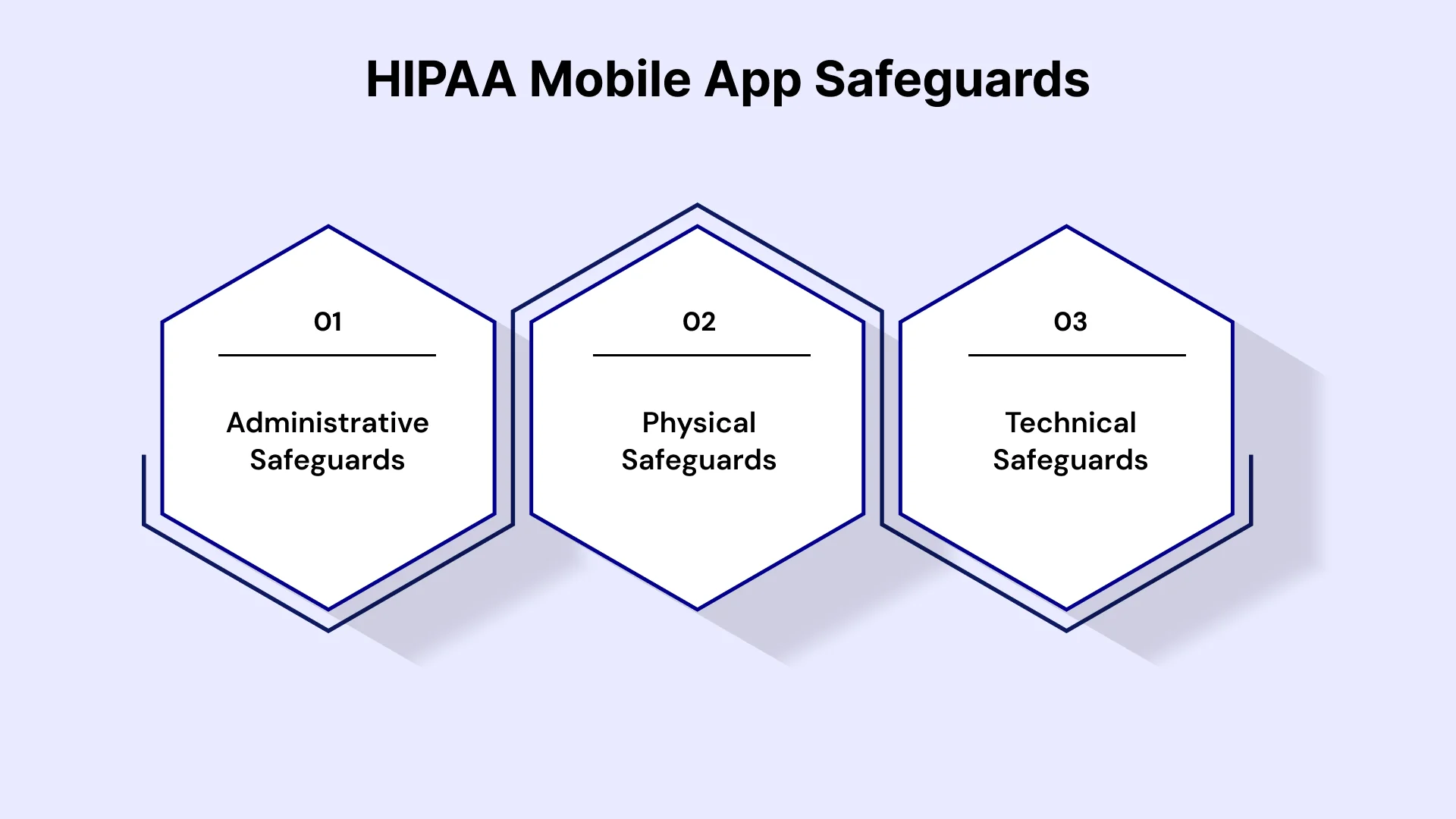
1. Administrative Safeguards
These are the policies and processes around your people and your risk.
- A documented risk analysis and risk management plan, updated when the app changes
- A designated security officer
- Workforce training and access authorization procedures
- Sanction policies and incident response procedures
- Business associate agreements with every subcontractor that touches PHI
- Contingency planning: backups, disaster recovery, and emergency mode operations
Taken together, these HIPAA-compliant app requirements give engineering, product, and legal teams a shared vocabulary.
2. Physical Safeguards
Because your app runs on phones and cloud servers, these largely translate to device and hosting policies.
- Restrictions on physical access to servers and workstations (handled by your cloud provider, documented by you)
- Policies for device loss, theft, and disposal
- Rules for media reuse and secure data destruction
3. Technical Safeguards
These are the requirements developers feel most directly, and they form the core of any list of requirements for a HIPAA-compliant mobile app:
- Access control: unique user IDs, role-based access, automatic logoff, and emergency access procedures
- Audit controls: logging of who accessed or changed ePHI and when
- Integrity controls: protection against improper alteration or destruction of ePHI
- Authentication: verifying that a person is who they claim to be, ideally with multi-factor authentication
- Transmission security: encryption for data in transit
Encryption is technically labeled "addressable" in the Security Rule, which means you must implement it or document an equivalent alternative and why. In practice, regulators and auditors expect encryption of ePHI at rest and in transit, and it is the safest default. HHS has also proposed updating the Security Rule to make some current "addressable" items mandatory, so verify the current status of that rulemaking when you plan your compliance work.
How to Build a HIPAA-Compliant Healthcare Mobile App: The Step-by-Step Process
If you are wondering how to develop a HIPAA-compliant healthcare app in practice, this is the section to bookmark. It is the core of the HIPAA-compliant healthcare app development process. Each step maps compliance work to a normal delivery lifecycle.
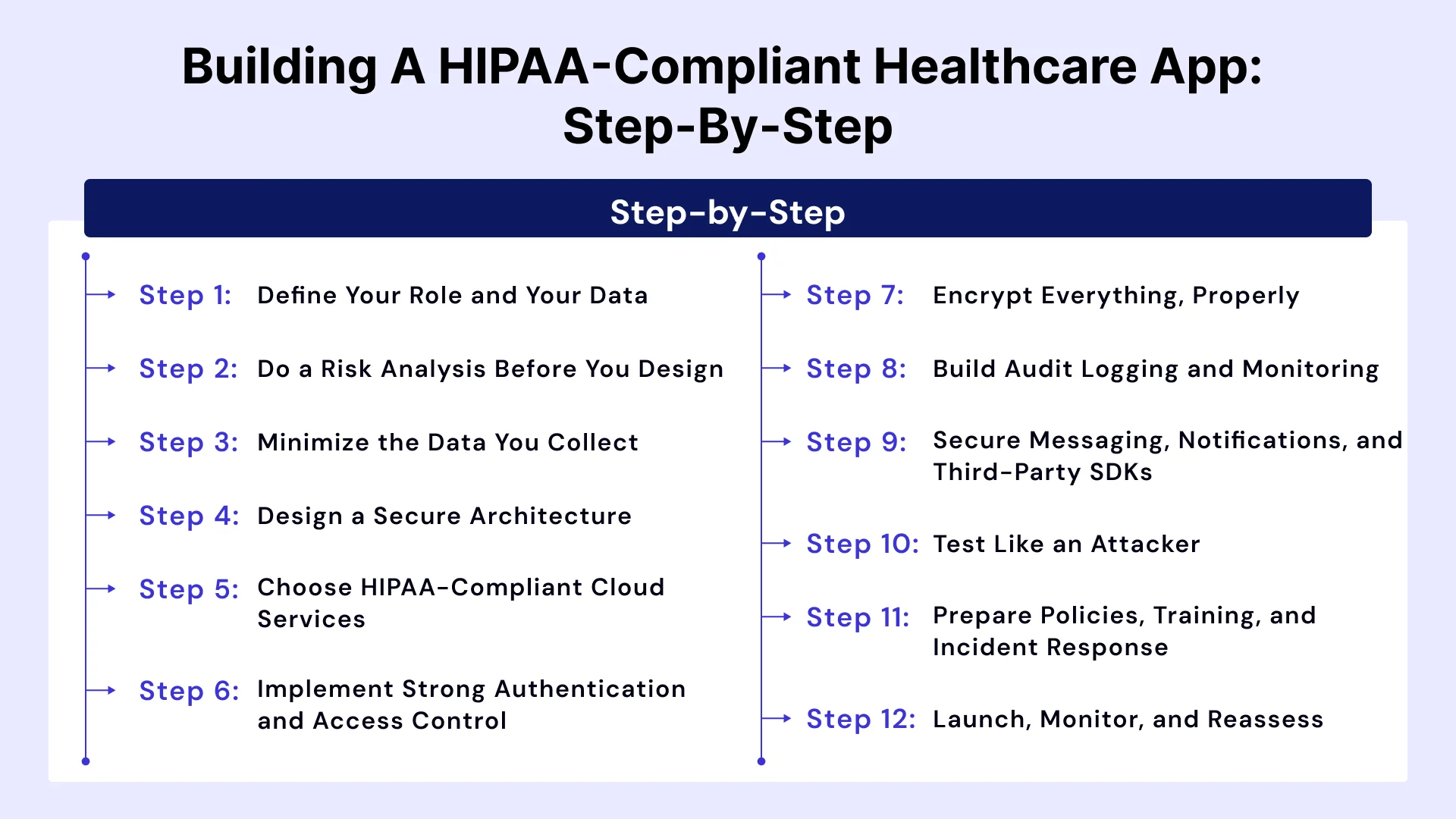
Step 1: Define Your Role and Your Data
Start by answering three questions: Are we a covered entity or a business associate? What PHI will the app create, receive, store, or transmit? Who else will touch it? Map every data element to a source, a storage location, and a recipient. This data-flow diagram becomes the backbone of your risk analysis and your architecture.
Step 2: Do a Risk Analysis Before You Design
The Security Rule requires an accurate and thorough risk analysis. Identify threats (lost devices, credential theft, insecure APIs, insider misuse), vulnerabilities, likelihood, and impact. Rank the risks and decide on controls. Keep the document; auditors will ask for it. This is also the point where the HIPAA-compliant mobile app development plan takes shape, because every identified risk becomes a requirement.
Step 3: Minimize the Data You Collect
The safest PHI is the PHI you never collect. Apply data minimization: only request fields you truly need, avoid storing PHI on the device when it can stay on the server, and set retention rules for what you must keep. Fewer data elements mean fewer controls to maintain and a smaller blast radius if something goes wrong.
Step 4: Design a Secure Architecture
A secure healthcare mobile app typically separates concerns, and the same layering applies whether you are building a HIPAA-compliant mobile application for iOS, Android, or both:
- Thin client: the mobile app displays data and captures input, with minimal local storage
- API layer: authenticated, authorized, rate-limited, and logged
- Data layer: encrypted databases in a compliant cloud, segmented from public-facing components
- Integration layer: connectors to EHR/EMR, labs, pharmacies, and payment systems using standards like HL7 FHIR
Add network segmentation, secrets management, and environment separation so developers and testers never handle real PHI in non-production systems.
Step 5: Choose HIPAA-Compliant Cloud Services
Selecting HIPAA-compliant cloud services means picking a provider that will sign a BAA and using only the services covered by that agreement. AWS, Microsoft Azure, and Google Cloud all offer BAAs, but not every product in their catalogs is HIPAA-eligible, and the shared-responsibility model means you still configure encryption, access, and logging correctly. Document which services you use and confirm each is on the provider's eligible list. Our team's Healthcare Software Development Services include compliant cloud architecture as a default part of delivery.
Step 6: Implement Strong Authentication and Access Control
Authentication failures are among the most common causes of PHI exposure, so this step carries real weight in any HIPAA-compliant mobile app development effort.
- Require multi-factor authentication for clinicians and admins; offer it to patients
- Support biometric unlock (Face ID, fingerprint) as a convenience layer on top of, not a replacement for, server-side authentication
- Use short-lived tokens with refresh rotation, and revoke access instantly when a device is lost
- Apply least-privilege role-based access so a receptionist cannot see clinical notes
- Enforce automatic session timeouts
Step 7: Encrypt Everything, Properly
- In transit: TLS 1.2 or higher for all traffic, with certificate pinning for sensitive endpoints
- At rest on the server: AES-256 with managed keys and rotation
- At rest on the device: use the platform keychain or keystore, hardware-backed where available, and avoid writing PHI to logs, caches, screenshots, or clipboard
- Backups: encrypted, tested, and access-controlled
Step 8: Build Audit Logging and Monitoring
Log authentication events, PHI access, changes, exports, and administrative actions with user, timestamp, and outcome. Protect the logs from tampering and route them to a monitoring system with alerting for suspicious patterns, such as one account opening hundreds of records. HIPAA documentation retention is generally six years, so plan storage accordingly.
Step 9: Secure Messaging, Notifications, and Third-Party SDKs
This is where many mobile apps slip up.
- Push notifications should never contain PHI in the payload. Use generic text like "You have a new message" and let the authenticated app fetch details.
- Secure messaging must be encrypted end-to-end or at least encrypted in transit and at rest with access controls; standard SMS and consumer chat apps are not appropriate for PHI.
- Analytics, crash reporting, and advertising SDKs can capture identifiers or screen content. Either configure them so no PHI is collected or sign a BAA with the vendor; otherwise remove them.
Step 10: Test Like an Attacker
Security testing is central to how to ensure HIPAA compliance in mobile app development. Combine:
- Static and dynamic application security testing
- Penetration testing against the app, APIs, and cloud configuration
- Mobile-specific checks aligned with OWASP MASVS (insecure storage, weak crypto, reverse engineering, jailbreak/root detection)
- Dependency scanning and software bill of materials review
- Functional testing of consent, access rules, and session handling
Fix findings, retest, and keep the reports as compliance evidence.
Step 11: Prepare Policies, Training, and Incident Response
Technology alone is not compliance. Write and maintain policies for access management, device loss, breach response, vendor management, and workforce sanctions. Train every person with access to PHI, including developers and support staff. Run an incident response drill so the team knows how to contain, investigate, and notify.
Step 12: Launch, Monitor, and Reassess
Compliance does not end at release. Schedule periodic risk assessments, patch dependencies promptly, review access logs, re-verify vendor BAAs, and reassess whenever you add features that change data flows, such as a new integration, AI feature, or analytics tool. If you are exploring AI-driven workflows, see our perspective on AI in Healthcare Compliance.
HIPAA Compliance Checklist for Mobile Apps
Use the below mention HIPAA compliance checklist for mobile apps as a working list during design reviews and before release.
1. Governance and documentation
- Role determined (covered entity or business associate)
- Risk analysis completed and current
- Security officer designated
- Policies and procedures documented
- BAAs signed with all vendors handling PHI
- Workforce training completed and recorded
2. Architecture and data
- Data-flow diagram and PHI inventory created
- Data minimization applied
- Production PHI separated from dev and test
- HIPAA-eligible cloud services only, under a BAA
3. Technical controls
- Unique user IDs and role-based access
- Multi-factor authentication for privileged users
- Encryption in transit and at rest, including on-device
- Automatic session timeout
- Audit logging with protected, monitored logs
- No PHI in push notifications, logs, or analytics
- Jailbreak/root detection and remote wipe or token revocation
4. Testing and operations
- Penetration test and vulnerability scan completed
- OWASP MASVS review performed
- Backup and disaster recovery tested
- Incident response and breach notification plan in place
- Ongoing monitoring and reassessment schedule set
Common Mistakes That Break HIPAA Compliance
When teams ask how to develop a HIPAA-compliant healthcare app without costly rework, the answer usually starts with avoiding these errors. Each one can undermine an otherwise sound HIPAA-compliant healthcare app development process.
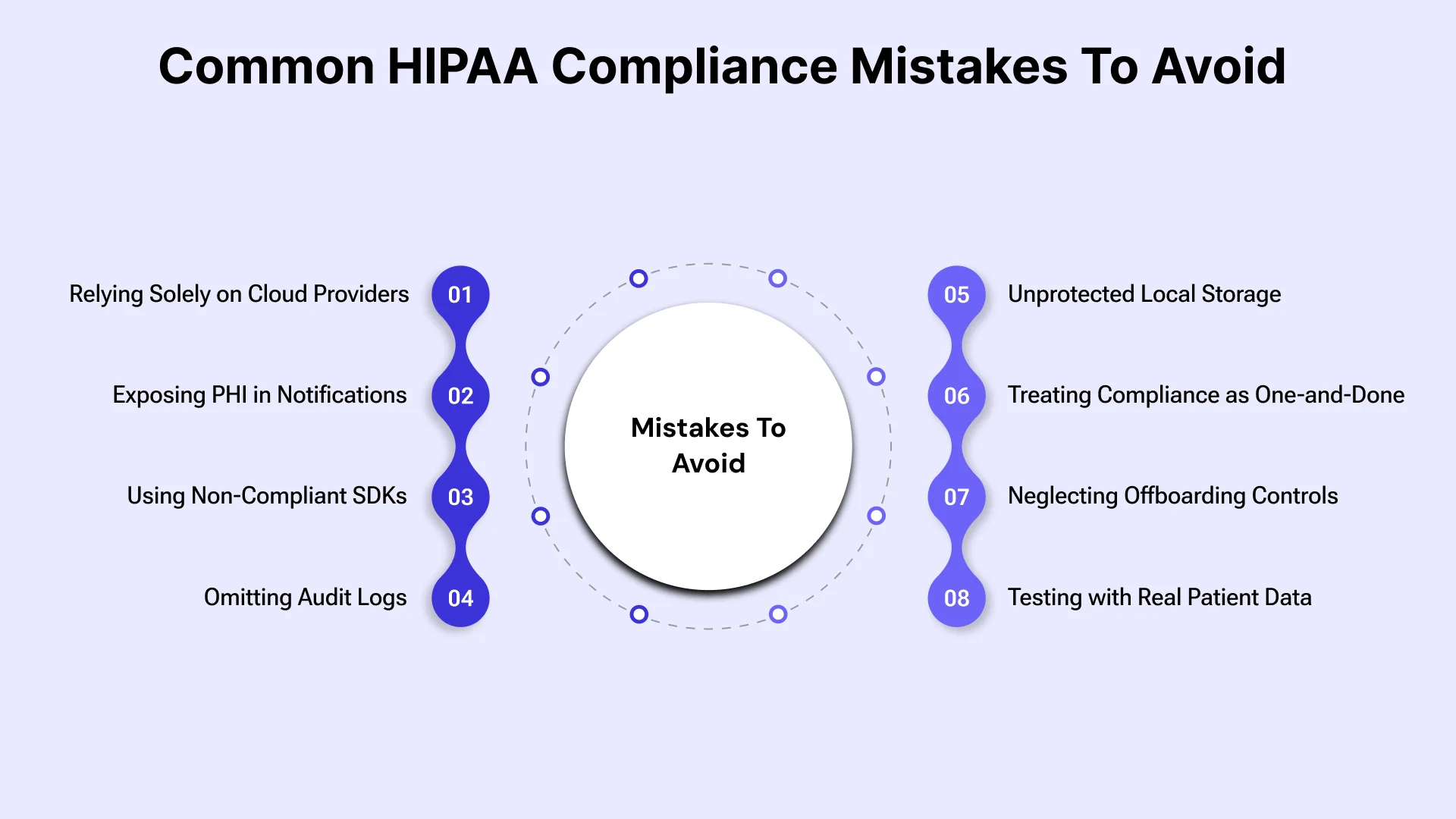
- Assuming the cloud provider makes you compliant. A BAA and eligible services are necessary, but configuration is your responsibility.
- Putting PHI in push notifications or emails. Message previews can appear on lock screens and in third-party systems.
- Using non-compliant third-party SDKs. A single analytics library can send identifiers to a vendor with no BAA.
- Skipping audit logs. Without logs, you can't investigate incidents or prove compliance.
- Storing PHI locally without protection. Unencrypted SQLite files, screenshots, and logs are frequent breach sources.
- Treating compliance as a launch gate. Risk changes with every release.
- No offboarding process. Former employees and contractors keeping access is a classic finding.
- Testing with real patient data. Use synthetic or properly de-identified data outside production.
Cost to Develop a HIPAA-Compliant Healthcare App
Budget matters, so here is a realistic view of healthcare mobile application development pricing when compliance is in scope. The cost to develop a HIPAA-compliant healthcare app depends on scope, integrations, and team location, but compliance itself typically adds roughly 10 to 30 percent to a comparable non-regulated build. That covers security architecture, compliant hosting, audit logging, testing, and documentation.
As indicative planning ranges (not quotes):
| Project Type | Typical Range |
| Focused MVP (login, scheduling, secure messaging) | $50,000 – $100,000 |
| Mid-complexity app (records access, payments, telehealth basics) | $100,000 – $220,000 |
| Advanced platform (EHR integration, analytics, devices, multiple roles) | $220,000 – $450,000+ |
Several factors shape the HIPAA-compliant healthcare mobile app development cost, and most of them come from choices made in planning rather than coding:
- Integration depth: EHR/EMR connections are often the biggest variable.
- Platforms: native iOS and Android versus cross-platform.
- Security depth: penetration testing, threat modeling, and third-party audits.
- Hosting and monitoring: compliant cloud services cost more than commodity hosting, and continuous monitoring adds recurring spend.
- Ongoing maintenance: commonly 15 to 25 percent of the initial build per year.
Whatever the HIPAA-compliant healthcare mobile app development cost turns out to be, compare vendor quotes on identical scope, including compliance work, so a low price isn't hiding missing safeguards.
Choosing a Partner for HIPAA-Compliant App Development
Ask potential vendors:
- Have you shipped HIPAA-compliant mobile app development projects for providers or payers? Can we speak with references?
- Will you sign a BAA, and how do you handle your own subcontractors?
- How do you separate PHI from development and test environments?
- What does your security testing include, and can we see a sanitized sample report?
- How do you handle incident response and breach notification?
- Who owns the source code and documentation?
A partner who answers these clearly, and who brings genuine healthcare app development experience across HIPAA-compliant mobile app development engagements, will save you rework and risk.
Leverage Our Expertise to Build Your HIPAA-Compliant App
Compliance is easiest when it is built in from the start by a team that has done it before, especially for HIPAA-compliant mobile app development where audits, customer security reviews, and patient trust all depend on the details. VLink’s engineers deliver Mobile App Development Services for providers, payers, and digital health companies across the US, Canada, and India, combining secure architecture, compliant cloud infrastructure, and rigorous testing in one delivery model.
A secure healthcare mobile app is never finished at launch, and we support clients through every release. Whether you need a patient portal, a telehealth platform, or a clinician workflow tool, our dedicated team can help you scope, design, build, and maintain an app that meets HIPAA requirements and holds up to customer security reviews.
Conclusion
Learning how to build a HIPAA-compliant healthcare mobile app, and how to ensure HIPAA compliance in mobile app development over time, comes down to a few disciplined habits: know your role and your data, run a real risk analysis, minimize what you collect, encrypt and log everything that matters, control every vendor with a BAA, test like an attacker, and keep reassessing after launch. None of it is mysterious, but all of it takes deliberate planning and the right partners.
Start with the data-flow diagram and the risk analysis. Those two documents will shape every technical and budget decision that follows, and they will be the first things a regulator, hospital customer, or auditor asks to see. Navigating healthcare compliance doesn't have to be overwhelming. Get in touch with our experts today to schedule a consultation and start mapping out your HIPAA-compliant development strategy.

Global Delivery Manager, VLink Inc.
Shivisha Patel serves as the Global Delivery Manager at VLink Inc., bringing a wealth of experience in program delivery and management, particularly in the insurance and banking sectors. She has a robust technical background with deep expertise in WebSphere MQ, WTX, IIB, middleware, and enterprise system integration.

 Shivisha Patel