


Every year, more enterprises decide it's time to move off aging on-premises infrastructure and onto the cloud, and Azure migration is consistently at the top of that list. Yet for every organization that completes a smooth, on-budget migration, there's another that stalls halfway through, spooked by unexpected costs, compliance gaps, or downtime that disrupts the business it was meant to protect.
If you're a CIO weighing digital transformation against a tight budget, an IT Director trying to untangle a decade of legacy dependencies, or a CISO worried about where your sensitive data will actually live, this guide is for you. We're going to walk through exactly what Azure migration involves, the real benefits it delivers, the challenges nobody puts in the sales deck, and the step-by-step process that separates successful migrations from expensive ones.
This isn't a surface-level overview. It's a practical, experience-backed Azure migration guide designed to help you plan with confidence and avoid the mistakes that derail most cloud initiatives.
What Is Azure Migration?
Azure migration is the process of moving an organization's applications, databases, virtual machines, and infrastructure from an on-premises data center or another cloud provider onto Microsoft Azure. It covers everything from simple "lift and shift" workloads to modernizing Microsoft Business Solutions and complex legacy applications into scalable, containerized cloud-native systems.
At its core, Azure cloud migration isn't just an IT project. It's a business transformation initiative that touches finance (through OpEx vs. CapEx shifts), security (through identity and compliance controls), and engineering (through modernized deployment pipelines). Done right, it becomes a revenue-enabling driver rather than a line-item cost.
Why Enterprises Are Moving to Azure
Organizations don't migrate to Azure because it's trendy; they migrate because on-premises infrastructure increasingly can't keep pace with business demands. A few consistent drivers show up across nearly every enterprise migration project:
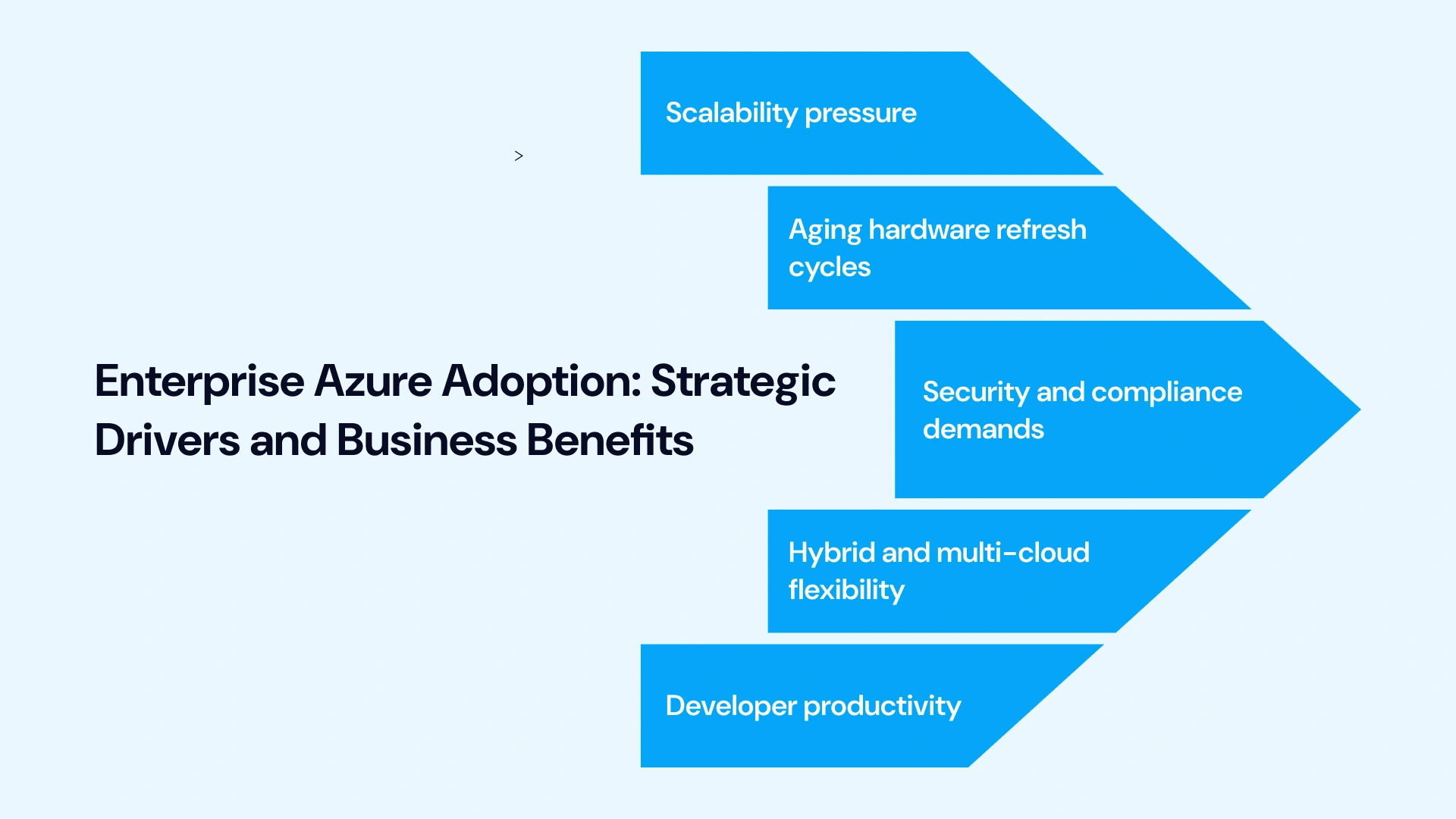
- Scalability pressure:
Seasonal or unpredictable demand makes fixed on-prem capacity inefficient, leaving teams either wasting money on idle hardware or scrambling when traffic surges. Elastic cloud resources let systems breathe, scaling up or down instantly without manual intervention.
- Aging hardware refresh cycles:
Replacing physical servers every few years is an expensive, slow, and labor-intensive process compared to the speed and flexibility of elastic cloud resources. Shifting workloads to Azure turns rigid capital expenditures into manageable operating costs.
- Security and compliance demands:
Regulatory frameworks like GDPR, HIPAA, and SOC 2 can be exhausting to manage on legacy infrastructure. Enterprises rely heavily on Azure's built-in governance and compliance tools to keep auditors happy without overwhelming internal IT teams.
- Hybrid and multi-cloud flexibility:
For companies deeply rooted in enterprise software, Azure integrates cleanly with existing Microsoft ecosystems like Active Directory, Office 365, and Dynamics, bridging the gap without forcing teams to rebuild their core stack.
- Developer productivity:
Modern engineering teams need speed to stay competitive. Native support for containers, Kubernetes, and CI/CD pipelines accelerates software delivery, letting developers build and ship features without waiting weeks for physical hardware provisioning.
The Azure Migration Process: A Step-by-Step Breakdown
A successful Azure migration strategy follows a structured lifecycle. Skipping phases, especially assessment and pilot testing, is the single biggest reason migrations run over budget or cause outages.
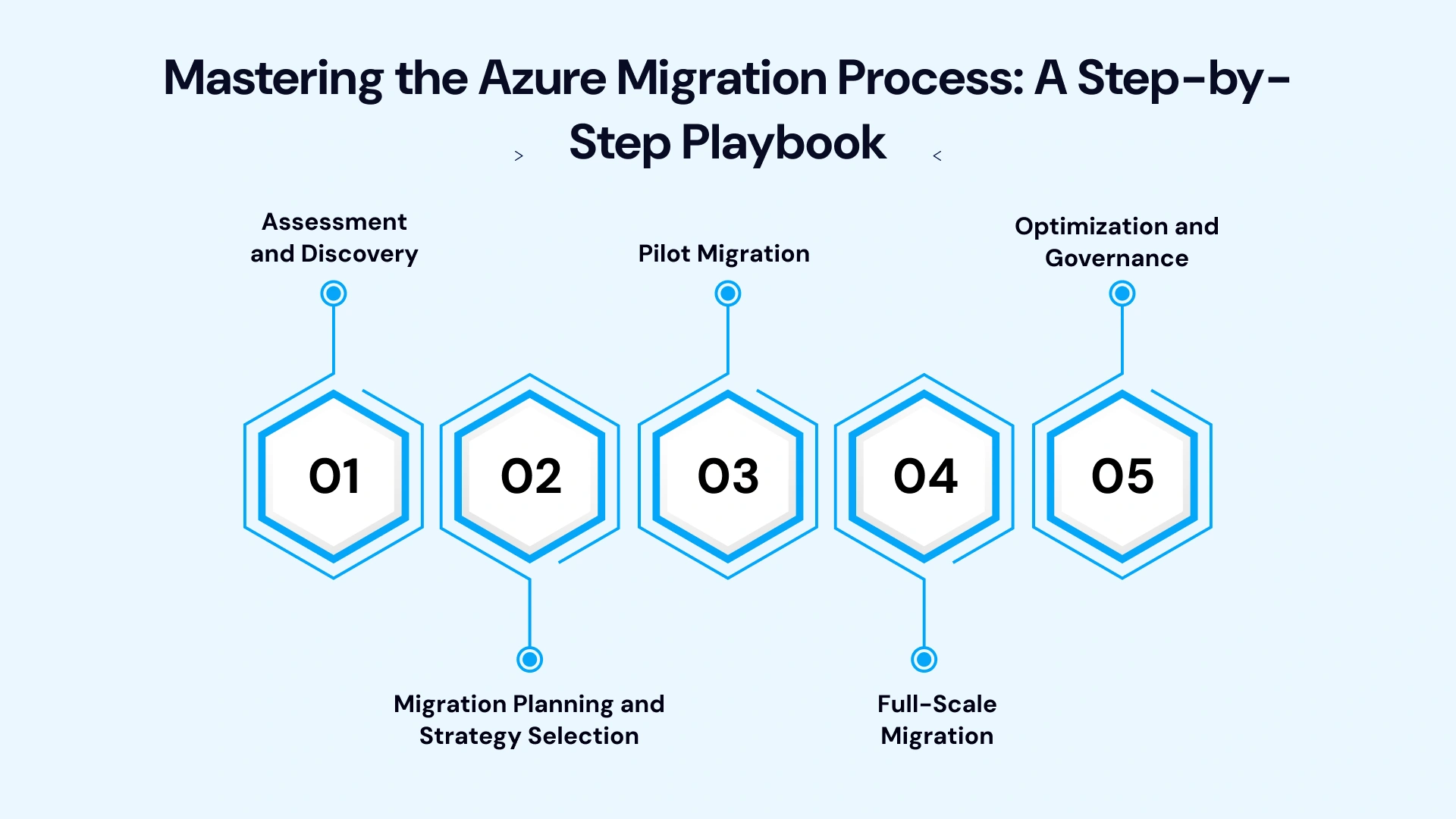
1. Assessment and Discovery
Before moving a single workload, you need a complete picture of what you're moving. This phase uses tools like Azure Migrate to automatically discover on-premises servers, map application dependencies, and estimate right-sized Azure costs.
Key activities include:
- Inventorying all servers, applications, and databases
- Mapping dependencies between interconnected systems
- Classifying workloads by criticality and complexity
- Running a total cost of ownership (TCO) comparison against current infrastructure spend
This is also where IT Directors typically uncover hidden legacy dependencies, old integrations nobody documented that could break if moved carelessly.
2. Migration Planning and Strategy Selection
With discovery data in hand, the next step is choosing the right migration strategy for each workload. Microsoft's widely referenced framework outlines several approaches, often called the "5 R's":
- Rehost (Lift and Shift): Move applications as-is, with minimal changes; fastest path to the cloud.
- Replatform: Make small optimizations (e.g., moving to managed databases) without full re-architecture.
- Refactor: Modify application code to better leverage cloud-native features.
- Rearchitect: Redesign applications for scalability using microservices or containers.
- Retire/Retain: Decommission unused systems or keep certain workloads on-premises for compliance reasons.
Not every application needs the same treatment. Mission-critical legacy systems often start with a rehost approach to reduce risk, with refactoring planned for a later phase once the team is comfortable operating in Azure.
3. Pilot Migration
Never migrate your entire environment at once. A pilot migration typically involves a low-risk, non-critical workload; validating your process, tooling, and team readiness before scaling up. This phase surfaces configuration issues, network latency concerns, and security gaps while the blast radius of any mistake is small.
4. Full-Scale Migration
Once the pilot is validated, migration moves into full execution. This phase is typically broken into waves, grouped by application dependency and business priority, rather than migrating everything simultaneously. Azure Migrate and Azure Site Recovery help orchestrate this process with minimal downtime, often using replication techniques that keep source systems live until cutover is confirmed successful.
5. Optimization and Governance
Migration doesn't end at cutover. Post-migration, teams need to right-size resources, implement cost governance through FinOps practices, and continuously monitor performance. This is where many organizations either capture the full ROI of their migration or quietly bleed budget through over-provisioned resources.
Key Benefits of Azure Migration
Below are the key advantages that migrating infrastructure and applications to Microsoft Azure delivers for modern enterprises:
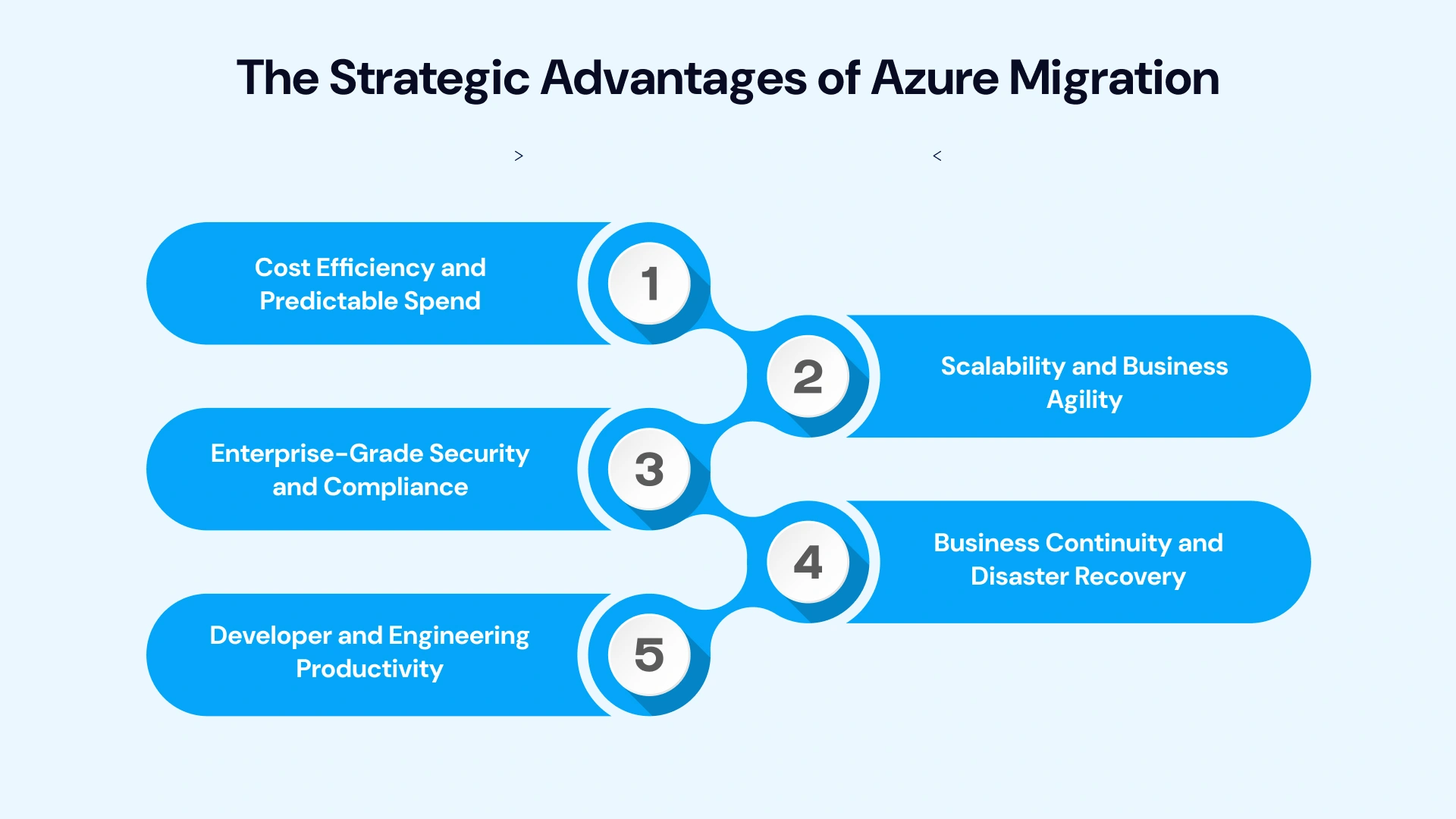
- Cost Efficiency and Predictable Spend
Moving from CapEx-heavy on-premises infrastructure to Azure's consumption-based OpEx model frees up capital while giving finance teams better visibility into spend. By partnering with experts who provide specialized Azure Consulting Services, organizations can maximize tools like Azure Hybrid Benefit to apply existing on-premises licenses toward cloud costs, significantly reducing the total cost of migration.
- Scalability and Business Agility
Azure's elastic infrastructure means organizations can scale compute and storage resources up or down based on real demand, instead of over-provisioning for peak capacity that sits idle most of the year. This agility directly supports faster go-to-market timelines for new products and services.
- Enterprise-Grade Security and Compliance
Azure's security posture; backed by Microsoft Entra ID for identity governance, built-in threat detection, and a long list of compliance certifications, often exceeds what most organizations can maintain on-premises. For CISOs, migration becomes an opportunity to consolidate fragmented, siloed security controls into a unified governance model.
- Business Continuity and Disaster Recovery
Azure Site Recovery and geo-redundant storage options give organizations resilience that's difficult and expensive to replicate on-premises. Downtime windows shrink, and disaster recovery becomes a built-in capability rather than a separate multi-million-dollar investment.
- Developer and Engineering Productivity
For DevOps teams, Azure unlocks native support for containerization, Kubernetes (via AKS), and integrated CI/CD pipelines. This reduces technical debt over time and allows engineering teams to ship faster with fewer manual deployment bottlenecks.
Common Azure Migration Challenges
No enterprise migration guide is complete without an honest look at what goes wrong. These are the recurring pain points we see across real-world Azure migration projects.
Challenge 1: Downtime and Business Disruption
Mission-critical workloads can't afford extended outages during cutover.
Solution: Use phased, wave-based migrations with Azure Site Recovery's live replication, and always validate rollback plans before cutover.
Challenge 2: Legacy Application Compatibility
Older applications with hardcoded dependencies or unsupported architectures often don't move cleanly.
Solution: Use Azure Migrate's dependency mapping during assessment to identify compatibility issues early, and budget time for refactoring where needed rather than forcing a rehost.
Challenge 3: Unpredictable Cloud Costs ("Cloud Bill Shock")
Without governance, cloud spend can spiral due to over-provisioned resources or forgotten test environments.
Solution: Implement a FinOps practice from day one: tagging resources, setting budget alerts, and reviewing utilization monthly through Azure Cost Management.
Challenge 4: Security and Compliance Gaps
Moving sensitive data to the cloud raises valid concerns about access control and regulatory exposure.
Solution: Build identity governance around Microsoft Entra ID, apply least-privilege access policies, and map every regulatory requirement (GDPR, HIPAA, SOC 2) to specific Azure compliance controls before migration begins.
Challenge 5: Skills Gaps in Internal Teams
Many engineering teams are strong on-premises but inexperienced with cloud-native operations.
Solution: Pair internal upskilling with an experienced migration partner during the initial waves, transferring knowledge as the team gains hands-on experience.
Azure Migration by Role: Stakeholder Priorities
Implementing professional Azure cloud migration services touches every corner of the organization, but nobody looks at the journey through the same lens. When the executive team, IT managers, and finance directors are all reading from different pages, projects stall. Success comes down to aligning each leader around what matters most to their specific domain:
Migrating to the cloud isn't just an IT upgrade; it’s an organization-wide shift. To keep the project on track, every stakeholder needs to play a very specific role:
- CIOs & VPs of IT: Stop talking purely about servers and data centers. Frame the migration around tangible business outcomes like slashing time-to-market or eliminating legacy tech debt- and lean on FinOps frameworks to prove predictable ROI straight to the board.
- IT Directors & Infrastructure Managers: Your primary job is keeping the lights on while the plane is being rebuilt in mid-air. Prioritize meticulous dependency mapping and phased rollouts so business continuity never takes a hit.
- CISOs & Compliance Leads: Stop viewing migration as just another security headache or compliance risk. Treat it as a massive upgrade opportunity to lock down your security posture, modernize identity governance, and build automated guardrails from day one.
- DevOps Leads: Use this migration as the ultimate catalyst for modernization. Don't just lift-and-shift broken legacy code; push for containerization, Kubernetes adoption, and mature CI/CD pipelines that actually make engineering teams faster.
- CFOs & Finance Directors: Demand robust FinOps practices right from the very first planning meeting. Cloud bills can quickly spiral out of control without active guardrails, so bake continuous cost visibility into the strategy to accurately forecast that OpEx shift.
Azure Migration Tools Worth Knowing
Navigating a successful cloud journey requires the right toolkit to bridge the gap between legacy infrastructure and modern cloud architecture. While Azure offers a vast ecosystem of utilities, a few core Azure migration tools stand out as absolute essentials for keeping your migration smooth, secure, and on budget:
| Tool | Primary Purpose | Key Features & Value Add |
| Azure Migrate | Discovery & Assessment | Central hub for unified discovery, dependency mapping, agentless server assessment, and migration planning across multi-cloud and on-prem environments. |
| Azure Site Recovery (ASR) | Replication & Cutover | Enterprise-grade business continuity tool ensuring zero-data-loss live replication, minimal downtime, and orchestrated failover during the final cutover window. |
| Microsoft Entra ID | Identity & Access | Modern cloud-native identity governance that secures hybrid access, single sign-on (SSO), and role-based access control (RBAC) across workloads. |
| Azure Cost Management + Billing | FinOps & Governance | Real-time budget tracking, anomaly alerts, optimization recommendations, and granular FinOps reporting to prevent cloud bill shock. |
| Azure Kubernetes Service (AKS) | Container Orchestration | Fully managed Kubernetes service that simplifies container deployment, scaling, and operational management for modernized cloud-native apps. |
Leverage Our Expertise for a Seamless Azure Migration
Every enterprise migration is different, but the risks are consistent; downtime, cost overruns, security gaps, and stalled timelines. That's where a dedicated migration partner makes the difference between a project that drains resources and one that delivers measurable ROI within the first year.
VLink’s dedicated team combines deep Azure architecture expertise with proven FinOps and security governance frameworks to guide your migration from assessment through optimization. We handle the complexity of dependency mapping, phased cutover planning, and compliance alignment so your internal teams can stay focused on the business, not the migration logistics.
Whether you're moving a handful of legacy applications or re-architecting your entire infrastructure, we build a roadmap around your budget, timeline, and risk tolerance.
In Summary
Azure migration is no longer a question of "if" for most enterprises; it's a question of "how well." The organizations that succeed treat migration as a structured, phased journey: thorough assessment, a clear-eyed migration strategy, a validated pilot, wave-based execution, and continuous post-migration optimization. Those that skip steps almost always pay for it later, in downtime, budget overruns, or security gaps.
The benefits- cost efficiency, scalability, stronger security, and faster engineering velocity- are real and measurable when the process is done right. If your organization is evaluating an Azure migration strategy, the smartest first step is a thorough assessment, not a rushed cutover. With the right planning, tools, and partner, Azure migration becomes exactly what it should be: a business accelerator, not a disruption.
Ready to take the next step in your cloud journey? Contact our Azure migration experts today to schedule a comprehensive assessment and discover how we can help you build a secure, cost-effective migration roadmap tailored to your business goals.

Vice President & Global Head of Digital, VLink Inc.
Amitabh is the Vice President and Global Head of Digital at VLink Inc., with over 20 years of leadership experience in IT strategy, digital transformation, and emerging technologies.

 Shivisha Patel