


Every business running its own servers eventually asks the same question: is it time to move to the cloud? Moving into 2026, for most organizations, the honest answer is usually yes, but the how matters far more than the yes.
On-premise to cloud migration done without a clear plan tends to produce the exact outcomes businesses were trying to avoid: unexpected downtime, ballooning costs, and applications that behave differently (and worse) once they're no longer running on familiar, dedicated hardware.
This playbook is built to prevent that outcome. It walks through the full on-premises to cloud migration process: end-to-end readiness assessment, strategy selection, data migration, hybrid approaches, tooling, cost, and a practical checklist you can actually use; so migration becomes a planned, staged project instead of a leap of faith.
Whether you're moving a single application off an aging server or planning a company-wide move away from a data center, this guide covers what actually needs to happen at each stage, and what tends to go wrong when steps get skipped.
What Is On-Premise to Cloud Migration?
On-premise to cloud migration is the process of moving applications, databases, and IT infrastructure from locally hosted servers, typically owned and maintained by the business itself, to cloud platforms like Azure, AWS, or Google Cloud.
Unlike migrating between two cloud providers, moving from on-premises to cloud usually involves more foundational changes, since on-premises infrastructure often relies on assumptions (dedicated hardware, local networking, manual maintenance) that don't carry over directly.
A complete migration strategy from on premise to cloud typically covers three connected layers:
- Infrastructure migration- moving servers and compute resources to cloud-hosted equivalents.
- Application migration- adapting or rebuilding software so it runs properly in a cloud environment.
- Data migration- transferring databases and files while preserving integrity, security, and accessibility.
Treating these three layers as one undifferentiated "move everything" project is one of the most common reasons on-premise to cloud migrations run into trouble. Each layer has its own risks, tools, and planning requirements.
Why Businesses Are Moving to the Cloud in 2026
The push toward Cloud Migration Services isn't new, but a few factors are making it more urgent heading into 2026:
- Aging hardware is reaching end of life. Many businesses are hitting a natural decision point as on-premises servers purchased years ago approach the end of their useful life, making replacement versus migration an active choice rather than a distant one.
- AI and modern tools increasingly assume cloud infrastructure. Generative AI integration, advanced analytics, and modern SaaS tools are often built cloud-first, and connecting them cleanly to on-premises systems typically requires extra work that cloud-native infrastructure avoids.
- Remote and hybrid work has changed access requirements. On-premises infrastructure was built around people working from a fixed office location; cloud infrastructure services support distributed teams accessing systems securely from anywhere.
- Maintenance costs keep climbing. As specialized on-premises hardware ages, sourcing parts and skilled maintenance staff becomes more expensive and less reliable, pushing the total cost of ownership higher each year it's delayed.
Step-by-Step On-Premise to Cloud Migration Strategy
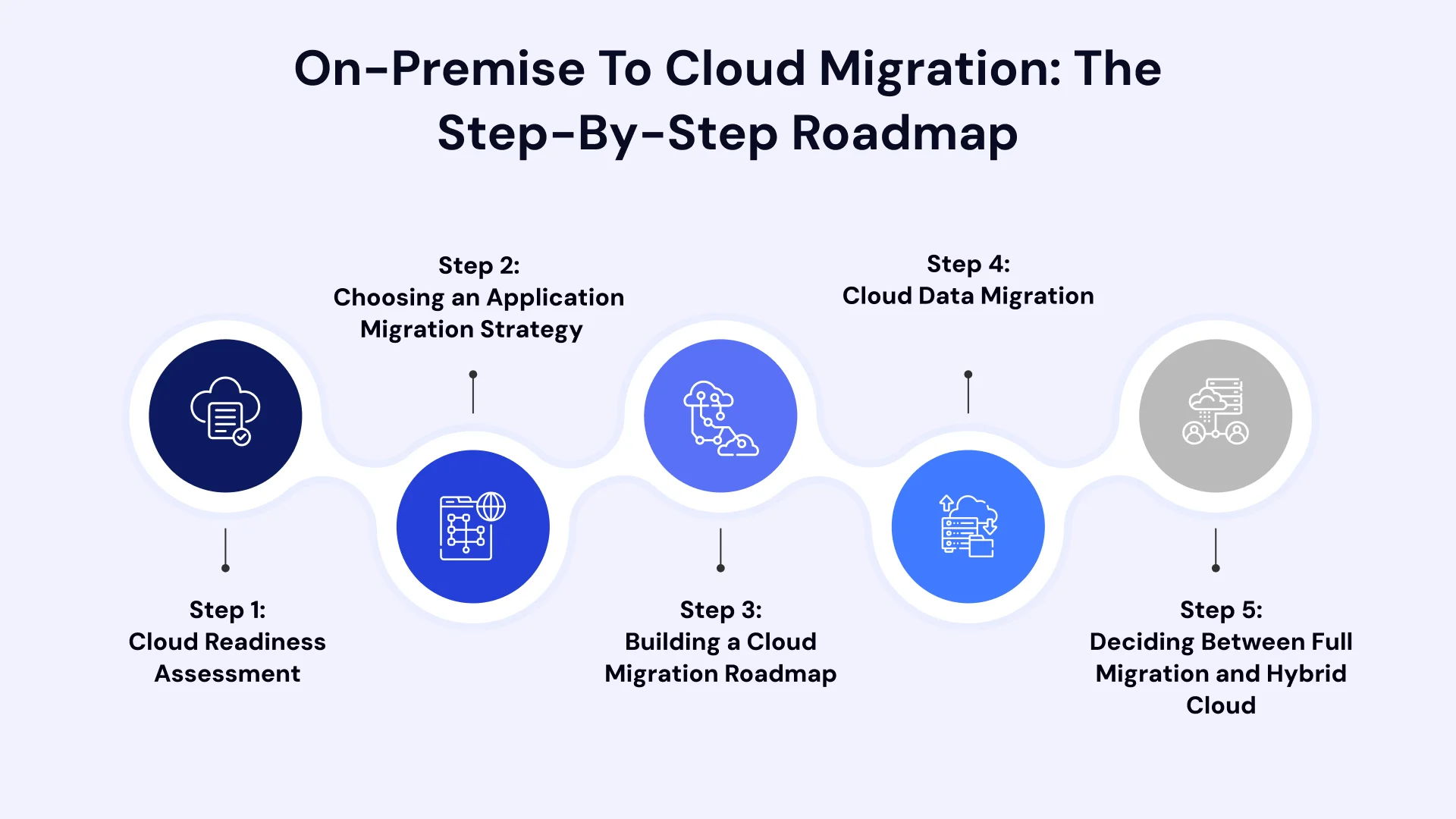
Migrating workload from on-premise infrastructure to the cloud requires careful orchestration to minimize downtime, ensure data integrity, and manage costs. Here is the structured, step-by-step process that cloud architects use to execute a migration successfully.
Step 1: Cloud Readiness Assessment
Every reliable on-premises to cloud migration playbook starts with an honest Cloud Readiness Assessment before any strategy decisions are made.
- What it evaluates: A proper assessment catalogs current infrastructure, application dependencies, data volume and quality, security and compliance requirements, and the internal dedicated team's existing cloud expertise.
- Why it matters: Skipping this step is the single most common reason migrations run into mid-project surprises; an undocumented dependency, a compliance requirement nobody flagged early, or a data quality issue that only becomes visible once migration is underway.
- What good output looks like: A clear inventory of applications and data, a documented list of dependencies between systems, and an honest picture of which workloads are straightforward to migrate versus which will need more careful handling.
Step 2: Choosing an Application Migration Strategy
With assessment data in hand, the next step is deciding how each application should actually move. Most on-premise to cloud migrations use a mix of these approaches rather than one blanket strategy:
- Rehost. Moving an application to the cloud with minimal changes; the fastest option, often chosen when there's a deadline like a data center lease ending.
- Replatform. Making targeted improvements during the move, such as switching to a managed cloud database, without a full rebuild.
- Refactor or rearchitect. Restructuring an application's code or architecture to take fuller advantage of cloud scalability; a larger investment reserved for applications that will benefit most from it.
- Retire or consolidate. Some applications discovered during assessment turn out to be redundant or no longer needed, making retirement a legitimate (and cost-saving) part of the strategy rather than every system needing to move.
The right application migration strategy for each system depends on its business value and technical condition; a decision the readiness assessment should directly inform, rather than defaulting to the fastest option across the board.
Step 3: Building a Cloud Migration Roadmap
Once strategies are assigned, the pieces need to be sequenced into an actual Cloud Migration Roadmap. A solid roadmap typically:
- Groups applications into migration waves based on shared dependencies and business priority, rather than moving everything simultaneously.
- Starts with lower-risk workloads to validate the process before critical systems move.
- Builds in buffer time for legacy or poorly documented applications, which tend to take longer than initially estimated.
- Defines success criteria for each wave, so "done" is a measurable checkpoint, not a vague milestone.
Step 4: Cloud Data Migration
Cloud data migration deserves its own dedicated planning track, separate from general application migration, because data problems tend to surface fast and can quietly undermine an otherwise successful migration.
- Data quality first. Years of accumulated duplicate records, inconsistent formatting, and outdated entries in on-premises systems become visible and problematic once data needs to move cleanly into a new environment. Cleaning data before migration, not after, saves significant rework.
- Choosing online vs. offline migration. Online migration uses continuous replication to minimize downtime, ideal for mission-critical databases. Offline migration is simpler but requires a longer maintenance window, which may be acceptable for lower-priority systems.
- Cloud data warehouse migration. For businesses moving analytics and reporting infrastructure, cloud data warehouse migration often runs on a separate timeline from operational database migration, since it typically involves restructuring data models to take advantage of cloud-native analytics tools.
- Validation at multiple checkpoints. Data integrity should be validated throughout the migration, not just at the very end, so any issues can be traced back to their source while it's still easy to fix.
Step 5: Deciding Between Full Migration and Hybrid Cloud
Not every business needs, or wants, to move everything to the cloud at once. Hybrid cloud migration, where some systems remain on-premises while others move, is a legitimate long-term architecture for many organizations, not just a transitional phase.
- When hybrid makes sense: Compliance requirements that mandate certain data stay on-premises, recent hardware investments that haven't been fully depreciated, or specialized applications with performance needs that are easier to meet on dedicated infrastructure.
- What hybrid requires: Secure, reliable connectivity between on-premises and cloud environments, clear governance over which systems live where, and careful planning around how data moves (or doesn't move) between the two.
- A realistic expectation: Many organizations run in a hybrid state for years, gradually shifting more workloads to the cloud as business needs evolve; hybrid isn't a failure to fully migrate, it's often a deliberate, ongoing strategy.
Cloud Migration Tools Worth Knowing
A range of cloud migration tools support different parts of the process, generally falling into a few categories:
- Discovery and assessment tools that automatically scan on-premises environments to catalog servers, applications, and dependencies.
- Data migration platforms designed specifically for moving databases with minimal downtime, often supporting both online and offline migration modes.
- Infrastructure migration services built into major cloud platforms, which help replicate and cut over virtual machines and workloads.
- Cost management and monitoring tools that track cloud spend against forecasts, both during and after migration.
The right combination of tools depends heavily on which cloud platform you're moving to and the mix of application migration strategies you're using; a detail worth confirming with your cloud migration consulting partner rather than assuming one tool covers the entire process.
On-Premise to Cloud Migration Checklist
A practical cloud migration checklist to work through before, during, and after migration:
Before migration:
- Complete a full application and data inventory
- Map dependencies between systems
- Confirm compliance and security requirements per application
- Assign a migration strategy to each application
- Build a sequenced roadmap with defined migration waves
During migration:
- Validate data integrity at multiple checkpoints
- Test applications under realistic, production-like conditions
- Monitor performance and cost as workloads go live
- Keep affected teams informed of timeline and expected changes
After migration:
- Confirm all decommissioned on-premises systems are fully retired
- Review actual cloud costs against forecasts and right-size resources
- Monitor application performance closely in the first weeks post-cutover
- Document lessons learned to inform later migration waves
How Long Does On-Premise to Cloud Migration Take?
Timeline is one of the most common questions in any migration playbook, and the honest answer is that it depends heavily on scope. A single application with straightforward dependencies can move in a matter of weeks.
A full enterprise migration, spanning dozens of applications, several databases, and compliance-sensitive data, often takes several months to over a year, typically executed in planned waves rather than a single cutover event.
Rushing the timeline to hit an arbitrary deadline is one of the more common causes of the cloud migration challenges businesses run into after go-live, so it's usually worth building the schedule around actual assessment findings rather than a fixed date chosen before the scope is fully understood.
Cloud Migration Cost: What to Expect
Cloud migration cost varies significantly based on the number of applications involved, data volume, the migration strategies chosen, and how much cleanup or re-architecture work is required. A few cost factors worth planning around:
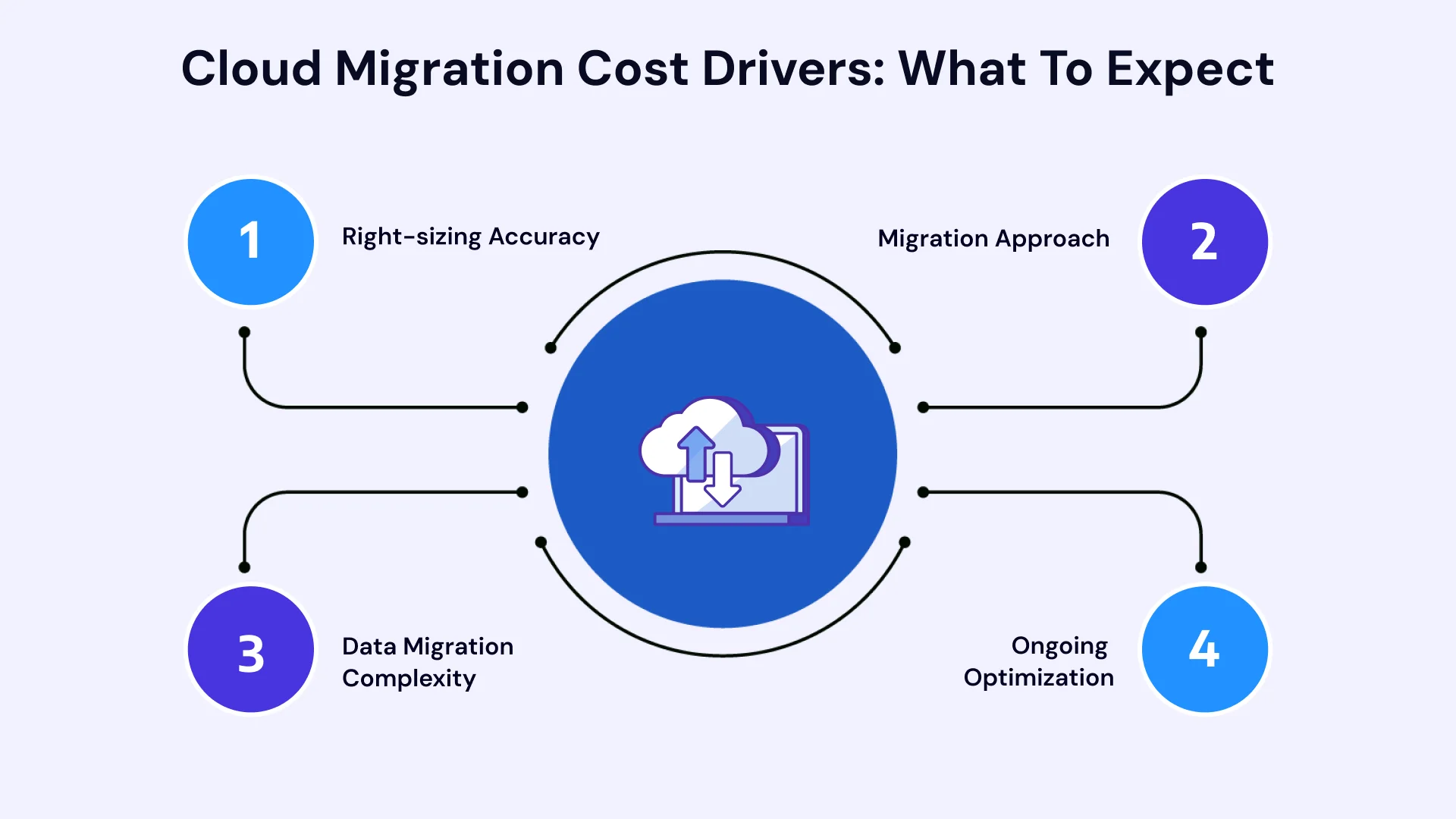
- Right-sizing Accuracy- Basing cloud resource sizing on actual usage data, rather than matching on-premises specs, is one of the most effective ways to control ongoing costs.
- Migration Approach- Rehosting is typically cheaper to execute upfront but may carry higher long-term costs if legacy inefficiencies come along for the ride; refactoring costs more initially but often reduces expense over time.
- Data Migration Complexity- Messy or poorly structured data adds cleanup time and cost before migration can even begin.
- Ongoing Optimization- Cost monitoring shouldn't stop at cutover; regular review of cloud spend after migration typically uncovers savings opportunities that weren't visible during planning.
Because these variables interact, most reliable cost estimates come from assessment data specific to your environment rather than generic per-application benchmarks.
Common Cloud Migration Challenges to Plan Around
A few challenges show up consistently in on-premise to cloud migrations, and planning for them upfront prevents most of the disruption they otherwise cause:
- Underestimated dependencies that surface mid-migration and cause delays.
- Security misconfigurations during the transition window if security architecture isn't planned before migration starts.
- Data quality issues that become visible only once data needs to move cleanly.
- Cost overruns from resource sizing based on assumptions rather than real usage data.
- Organizational resistance when affected teams aren't included in planning and communication early.
Choosing a Cloud Migration Consulting Partner
Most mid-size and enterprise businesses benefit from bringing in outside expertise for on-premises to cloud migration, especially when legacy systems, compliance requirements, or a large application portfolio are involved.
When evaluating a cloud migration consulting partner, look for:
- An assessment-first process, not a rush straight into execution.
- Experience across multiple migration strategies, not a default preference for the fastest option.
- Platform-specific expertise relevant to your target cloud provider.
- Transparent cost forecasting based on your actual environment.
- Post-migration support, including optimization and monitoring after go-live.
Leverage VLink's Expertise for a Seamless On-Premise to Cloud Migration
Moving off on-premises infrastructure is a significant undertaking, and getting the sequencing, data migration, and cost planning right the first time makes the difference between a smooth transition and a stalled one.
VLink's team runs a structured readiness assessment before any workload moves, builds a roadmap sequenced around real dependencies and business priorities, and stays engaged through post-migration optimization.
Whether you're planning a straightforward Azure Migration Services engagement, a broader Cloud Migration Services project, or navigating a more complex path like mainframe to cloud migration, explore VLink's cloud infrastructure services and cloud managed services to see how this approach applies to your environment.
You can also review a related case study for a closer look at how this playbook plays out in a real migration, or check our AWS migration guide if you're weighing AWS as your target platform.
In Summary
On-premise to cloud migration works best as a staged, well-assessed project rather than a single dramatic switch. Starting with an honest readiness assessment, choosing the right strategy for each application, planning data migration as its own dedicated track, and deciding deliberately between full migration and a hybrid approach all reduce the risk of the surprises that derail so many migrations after they've already started.
Whether you're moving one application off an aging server or planning a full departure from a data center, the businesses that get this right treat the process as a roadmap, not a deadline; sequencing work around real dependencies and business priority, and continuing to monitor cost and performance well after cutover. Get that structure in place, and 2026 can be the year your infrastructure stops holding your business back.
Ready to transition from legacy hardware to a scalable cloud infrastructure without downtime or unexpected costs? Contact VLink's team of certified cloud migration specialists today. Our experts will partner with you to conduct a comprehensive readiness evaluation, eliminate system bottlenecks, and build a risk-free roadmap tailored to your exact business objectives.

Vice President, Strategy – VLink Inc.
Sambhavi Gopalakrishnan is the Vice President of Strategy at VLink Inc., bringing over a decade of experience in IT leadership, project implementation, and strategic growth. She possesses a strong foundation in technical project management and pre-sales, driving innovation and business transformation at VLink.

 Shivisha Patel