


This guide covers Azure migration services from end to end: what the process actually involves, which tools handle which part of the job, what realistically drives cost; and, since this is often the hardest part to get right, how to evaluate an Azure migration partner before committing to one.
Whether you're planning your first Azure workload move or comparing Azure migration consulting services for an enterprise-scale project, this is meant to be a practical reference, not a marketing overview.
What Are Azure Migration Services?
Azure Migration Services refer to the combination of Microsoft's native tooling and the strategic, hands-on work involved in moving servers, applications, and databases from on-premises infrastructure (or another cloud provider) into Microsoft Azure. It's not a single product; it's a workflow that typically spans discovery, assessment, migration execution, and post-migration optimization, often delivered by a Microsoft Azure migration services partner rather than run entirely by an internal team.
At a practical level, Azure migration services generally cover:
- Workload discovery and assessment: cataloging what's currently running and determining how ready it is for Azure.
- Server and application migration: moving virtual machines and applications using Azure-native tooling.
- Database migration: a distinct, often more sensitive workstream handled through dedicated Azure services.
- Security and compliance configuration: setting up identity, access, and data protection appropriate for the workload.
- Cost optimization: right-sizing resources and monitoring spend both during and after migration.
Because Azure's ecosystem is broad, most businesses lean on either Microsoft's own guidance or an experienced Azure migration partner to translate these building blocks into an actual, sequenced project.
The Azure Cloud Migration Blueprint: A Step-by-Step Strategy
Regardless of scale, most successful Azure migrations follow a consistent structure.
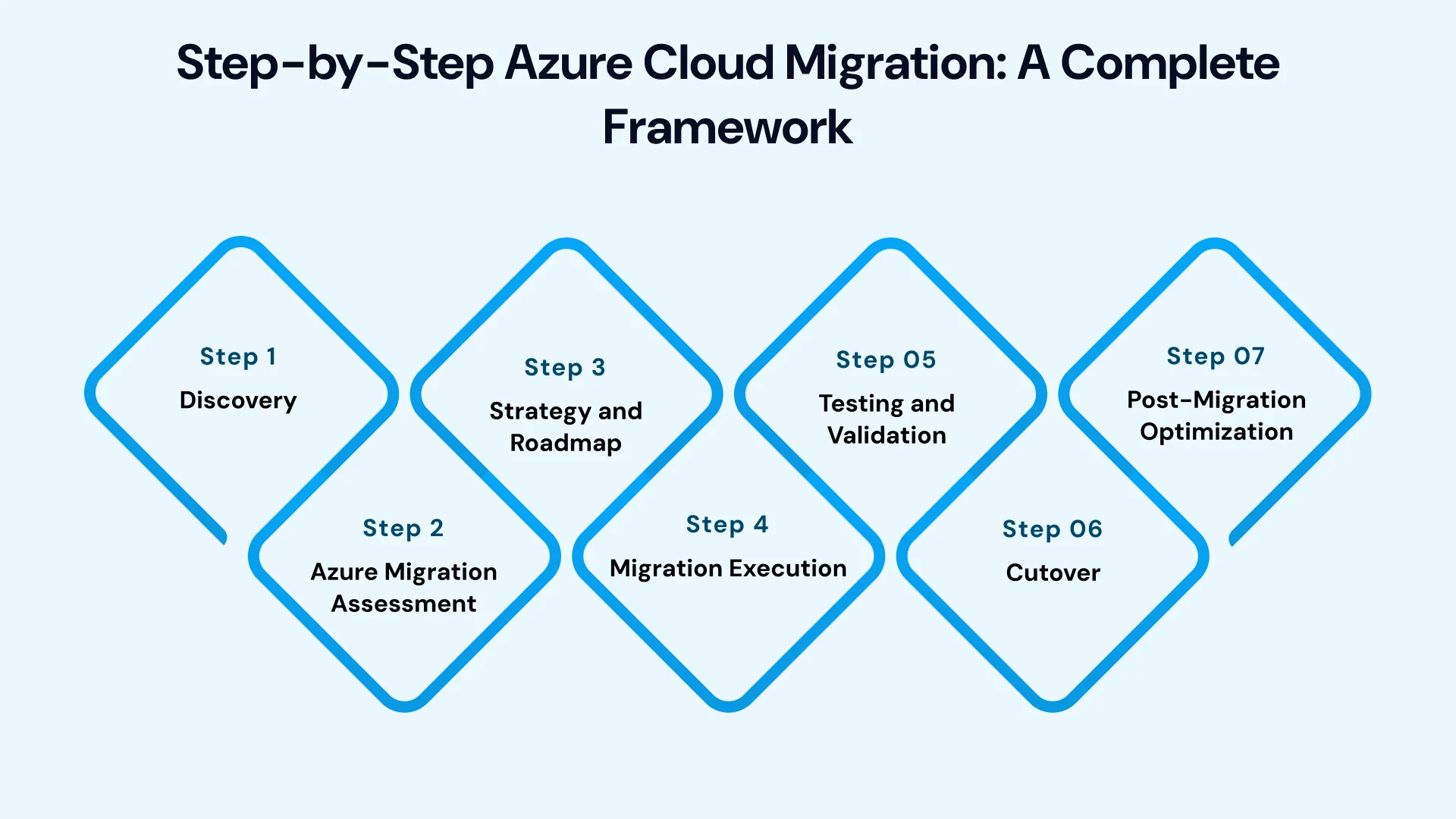
Step 1: Discovery
The process starts with cataloging what's currently running: servers, applications, dependencies, and performance baselines, typically using automated, agentless discovery tools rather than manual documentation review.
Step 2: Azure Migration Assessment
Discovery data feeds into an assessment phase that evaluates each workload's readiness for Azure, generates sizing recommendations based on actual usage, and produces early cost estimates. This step is what separates an educated migration plan from a guess.
Step 3: Strategy and Roadmap
With assessment data in hand, workloads are assigned a migration approach: rehost, replatform, refactor, or in some cases, retire, and sequenced into a roadmap based on business priority and dependency chains, rather than moved in whatever order is most convenient.
Step 4: Migration Execution
This is where workloads actually move, using the Azure tool suited to each type; servers through Azure Migrate's server migration tooling, databases through Azure Database Migration Service, and applications through targeted refactoring or replatforming work as needed.
Step 5: Testing and Validation
Migrated workloads are tested against real performance and security benchmarks before being considered production-ready, rather than assumed to work simply because the migration completed without errors.
Step 6: Cutover
Traffic shifts fully to the Azure environment, typically during a planned window that accounts for the specific downtime tolerance of each application.
Step 7: Post-Migration Optimization
Cost review, performance tuning, and security hardening continue after go-live; this phase is often where the majority of long-term value gets realized, but it's also the phase most likely to get skipped once migration is technically "done."
Azure Migration Tools Worth Knowing
Azure's ecosystem includes several purpose-built tools, and knowing which one applies to which part of a migration prevents wasted effort.
- Azure Migrate functions as the central hub for discovery, assessment, and orchestrating server migration, and is typically the starting point for most Azure workload migration services engagements.
- Azure Database Migration Service handles database-specific migration separately from general server migration, supporting both minimal-downtime online migration and simpler offline migration depending on the workload's downtime tolerance.
- Azure Cost Management tools track cloud spends against forecasts, both during migration and on an ongoing basis afterward, helping catch resource sizing issues before they become a recurring expense.
- Azure Security Center and related tooling support the identity, access, and data protection configuration that should be planned before migration, not retrofitted after workloads are already live.
Using these tools well matters more than using every tool available; a common mistake in Azure migration checklist planning is assuming more tooling automatically means a smoother migration, when in practice a smaller set of well-configured tools, matched correctly to each workload type, generally outperforms an over-engineered toolchain.
Azure Migration Security Considerations
Azure migration security warrants particular attention, as misconfigured access controls and gaps during the transition window are among the most common risks in Cloud Migration Services. A few practices worth planning for:
- Design identity and access management before migration, not as an afterthought once workloads are already running in Azure.
- Encrypt data in transit and at rest consistently across both the source and target environments during the migration window.
- Apply the principle of least privilege to any accounts or service principals used during the migration process itself, not just the final production environment.
- Validate security configuration during testing, rather than assuming it transferred correctly along with the workload.
For regulated industries, Azure migration assessment should also explicitly map compliance requirements- data residency, audit logging, access controls- against each workload before migration begins, since retrofitting compliance after the fact is significantly more disruptive.
Azure Database Migration: A Closer Look
Database migration is often the most sensitive part of an Azure migration, and Azure treats it as a distinct workstream through Azure Database Migration Service rather than folding it into general server migration.
- Online migration uses continuous replication to minimize downtime, making it the right choice for mission-critical databases that can't tolerate an extended maintenance window.
- Offline migration is simpler to execute but requires downtime during the cutover, which may be entirely acceptable for lower-priority databases where minimizing complexity matters more than avoiding downtime.
Because database migration often involves both a platform change (self-managed to managed) and a location change (on-premises to Azure) simultaneously, it typically benefits from more testing and validation than a straightforward server rehost.
Azure Migration Cost: What Actually Drives It
Azure migration cost is a common early question, and the honest answer is that the migration event itself is rarely the biggest cost driver; ongoing resource sizing usually is. A few factors that shape overall cost:
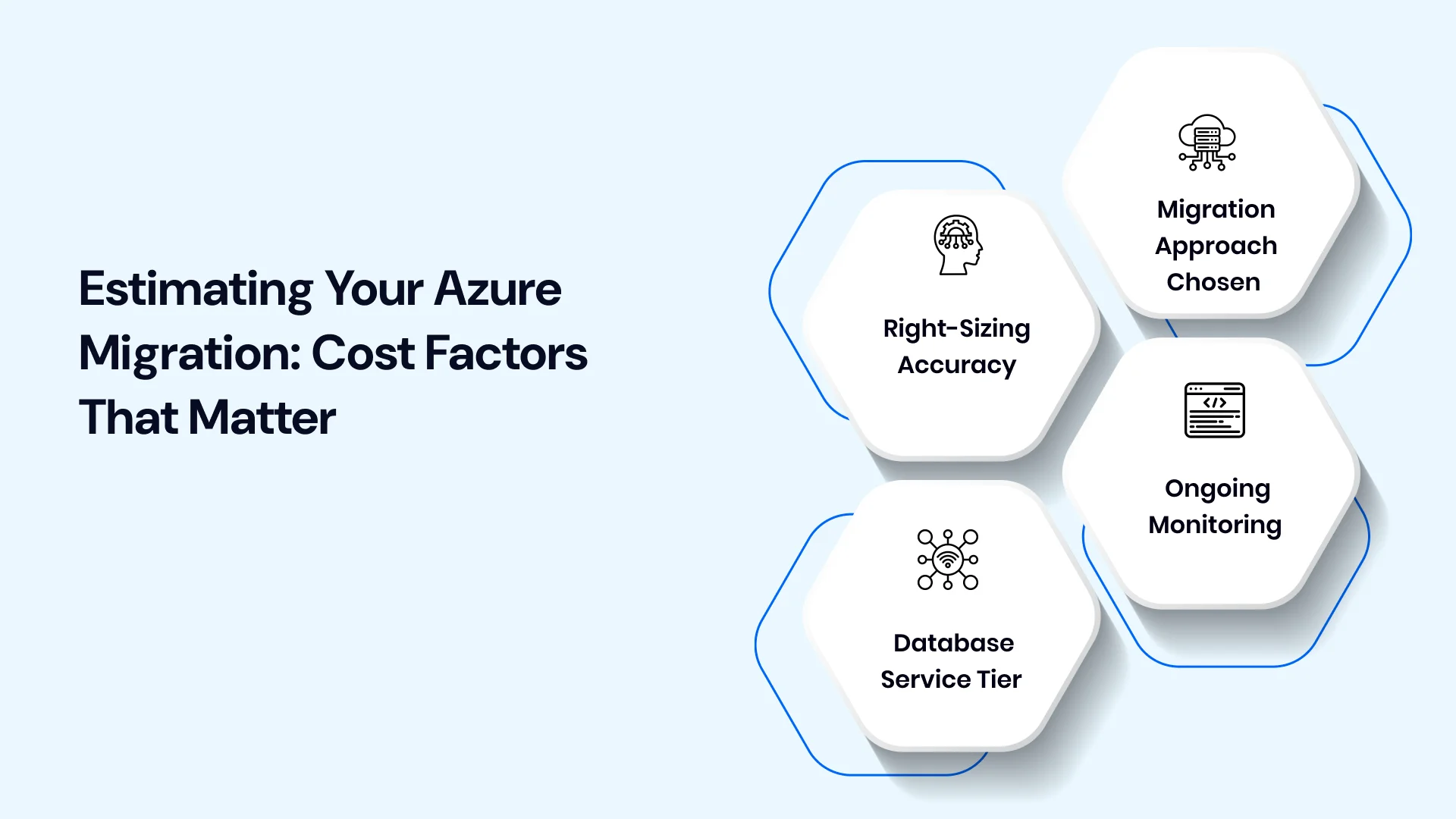
- Right-sizing accuracy: Assessment data based on actual usage, rather than matching on-premises hardware specs, typically reveals that many workloads were over-provisioned for years, and migrating at the right size is one of the most reliable ways to control ongoing spend.
- Migration approach chosen: Rehosting is generally cheaper to execute upfront but can carry higher long-term costs if inefficiencies transfer along with the workload; replatforming and refactoring cost more initially but often reduce expense over time.
- Database service tier: Moving to managed Azure database services can reduce maintenance overhead but comes with its own pricing structure worth comparing against current licensing costs before committing.
- Ongoing monitoring: Cost management shouldn't stop once migration is complete; regular review of actual usage against forecasts typically uncovers savings opportunities that weren't visible during initial planning.
Because these factors interact, the most reliable Azure migration cost estimates come from assessment data specific to your environment, not generic per-workload pricing benchmarks.
Azure Migration Best Practices
A few Azure migration best practices consistently show up in projects that go smoothly:
- Run a full assessment before choosing a migration strategy; assumptions about workload complexity are rarely accurate without real scan data.
- Migrate in waves, starting with lower-risk workloads to validate the process before critical systems move.
- Treat database migration as its own workstream, with dedicated planning separate from general server migration.
- Build security configuration into the plan from day one, not as a step added after workloads are already live.
- Don't consider the project finished at cutover. Post-migration optimization is where much of the long-term value gets realized.
Azure Migration Checklist
A practical checklist for a dedicated team planning an Azure migration:
Before migration:
- Run automated discovery to catalog servers, applications, and dependencies
- Complete an Azure Migration Assessment for sizing and cost estimates
- Assign a migration strategy (rehost, replatform, refactor, retire) per workload
- Map compliance and security requirements for each application
- Build a sequenced roadmap grouped into migration waves
During migration:
- Migrate lower-risk workloads first to validate the process
- Use Azure Database Migration Service for database-specific moves
- Test migrated workloads under realistic, production-like conditions
- Monitor cost and performance continuously as workloads go live
After migration:
- Right-size resources based on actual post-migration usage data
- Review security configuration against your original plan
- Decommission on-premises systems once migration is validated
- Document lessons learned to inform future migration waves
How to Choose an Azure Migration Partner
This is often the single most consequential decision in the entire process, since even the best native tooling can't compensate for a poorly planned or poorly executed migration. Here's a practical framework for evaluating an Azure migration partner.
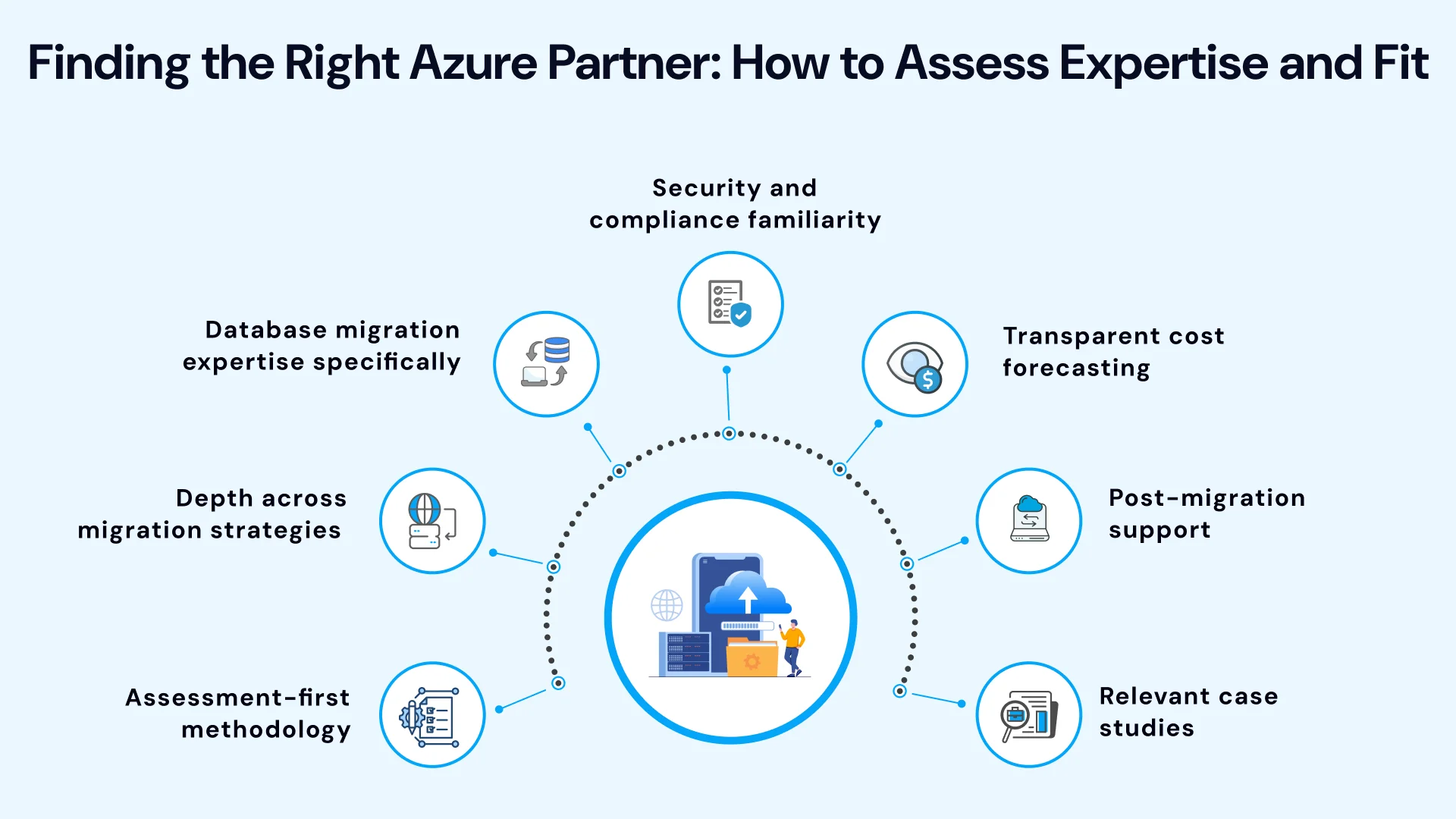
- Assessment-first methodology: A trustworthy Azure migration consulting services partner starts with genuine discovery and assessment work, not a generic recommendation before understanding your specific environment.
- Depth across migration strategies: Ask directly about their experience beyond simple rehosting; a partner who defaults to lift-and-shift for everything may be optimizing for speed of delivery over long-term fit.
- Database migration expertise specifically: Since database migration carries more risk than general server migration, confirm hands-on experience with Azure Database Migration Service and both online and offline migration approaches.
- Security and compliance familiarity: For regulated industries, ask how the partner handles identity management, encryption, and compliance mapping during migration, not just after workloads are live.
- Transparent cost forecasting: A capable partner should walk you through how they estimate cost based on your actual environment, rather than offering a flat number before assessment work has even started.
- Post-migration support: Confirm whether optimization and monitoring are included after cutover, or treated as a separate engagement; this distinction affects both cost and long-term outcomes significantly.
- Relevant case studies: Ask for examples of similar Azure migrations they've completed, ideally involving comparable workload types or industry requirements to your own.
A few extra questions worth asking directly during evaluation: How do you handle a workload that turns out to be more complex than initially assessed? What does your team do differently for database migrations versus server migrations? And what does support look like in the first 90 days after cutover?
It's also worth asking how a prospective partner handles disagreement between the assessment findings and the original project timeline. Migrations that stay on track tend to have partners willing to say a specific workload needs more time or a different approach than originally planned, rather than forcing every application into a fixed schedule regardless of what the assessment actually reveals. A partner comfortable having that conversation early is usually a better sign than one who agrees to any timeline upfront.
Pro Tips: Some businesses evaluating Azure migration services are also comparing Azure against other providers before fully committing. A side-by-side look at AWS vs Azure vs GCP is a common early step for organizations that haven't already standardized on Microsoft's ecosystem, particularly if existing infrastructure or licensing already leans toward one provider.
Businesses coming from especially complex environments, like a legacy mainframe system, may also want to review a dedicated resource on mainframe-to-cloud migration before finalizing a target platform.
Scale with Confidence: Partnering with VLink for Azure Migration
Choosing the right Azure migration partner shapes nearly every outcome of the project: timeline, cost accuracy, security posture, and how smoothly workloads perform once they're live. VLink's team runs Azure migrations through a structured, assessment-first process: mapping your workload portfolio, sequencing migration waves around real dependencies, and handling server, database, and application migrations as distinct, well-planned workstreams.
Explore VLink's Azure Migration Services and Cloud Migration Services to see how this approach applies to your environment, or review VLink's cloud managed services for ongoing optimization after cutover. If you're still comparing platforms, our AWS vs Azure vs GCP comparison and AWS migration guide are useful starting points, and our related case study offers a closer look at how this process plays out on a real migration.

In Summary
Azure's native tooling gives businesses a genuinely strong foundation for cloud migration, but the tools alone don't guarantee a smooth outcome; the process and the partner running it do. A structured path through discovery, assessment, strategy, migration, and post-launch optimization consistently outperforms a rushed, tool-first approach, and choosing an Azure migration partner with real assessment discipline, database migration expertise, and post-migration support matters just as much as the technical execution itself.
Whether you're planning a straightforward server migration or a more complex move involving databases, applications, and compliance requirements, the businesses that get the most value from Azure treat migration as a sequenced project with clear checkpoints, not a single event that ends at cutover.
Ready to unlock the full power of Microsoft Azure without technical friction or cost overruns? Contact VLink's certified Azure specialists today to schedule your initial cloud readiness consultation. Our team will guide you through custom architecture design, workload mapping, and post-migration FinOps optimization. Reach out now to turn your Azure migration strategy into a seamless reality.

Vice President, Strategy – VLink Inc.
Sambhavi Gopalakrishnan is the Vice President of Strategy at VLink Inc., bringing over a decade of experience in IT leadership, project implementation, and strategic growth. She possesses a strong foundation in technical project management and pre-sales, driving innovation and business transformation at VLink.

 Shivisha Patel